Most WordPress websites today are doing a lot of talking — but very little listening. Pages explain. Blogs educate. Forms ask users to wait. And when visitors have a question in real time, the site often goes silent.
This is where chatbots change the experience entirely. They are no longer just advanced technology or a passing trend; they are now a critical layer of modern WordPress development in Toronto and beyond. Chatbots act as a human bridge between your website and your visitors, making digital interactions feel more personal, responsive, and intelligent.
This guide provides a clear, practical explanation of why chatbots matter, how to integrate them properly and how to ensure they enhance rather than disrupt.
Why Chatbots Feel So Right on WordPress
A chatbot is simply a digital conversation layer added to your website. But when done well, it feels like something much more: a helpful presence that says, “Hey, I’m here. What do you need?”
Chatbots have gained enormous power on WordPress. Thanks to AI, THEY not only comprehend the natural language of the human, but also learn from the content and reply in an amazingly human-like way.
The real WordPress chatbot benefits aren’t about replacing humans. They’re about:
- Responding instantly
- Guiding visitors gently
- Capturing leads without pressure
- Supporting users even when you’re offline
With the right AI chatbot WordPress plugin, your site can handle questions, qualify leads, and focus on user engagement automation, day and night.
In this article, we’ll walk through:
- Why chatbots actually matter (beyond buzzwords)
- The types of chatbots you can use on WordPress
- A simple, step-by-step setup process
Why You Must Install a Chatbot on Your WordPress Site
Let’s imagine your website as a physical space.
A visitor walks in. They look around. They are curious, but also slightly unsure. They have a question, but no one is there to ask.
That’s what most websites feel like today.
24/7 customer engagement (without burning out)
A chatbot changes this instantly.
With 24/7 customer engagement, your site stops being passive. It becomes responsive, even at 2 a.m. A visitor asking about pricing, services, or availability doesn’t have to wait for an email reply tomorrow. They get an answer now.
That alone builds trust.
Smarter lead capture (that doesn’t feel pushy)
Traditional forms feel like work. Conversations feel natural.
A lead generation chatbot can ask:
- “What are you looking for?”
- “Is this for personal use or business?”
- “Can I send you more details by email?”
Instead of demanding information upfront, the chatbot earns it through conversation. This often leads to higher-quality leads, not just more leads.
Less support load, faster answers
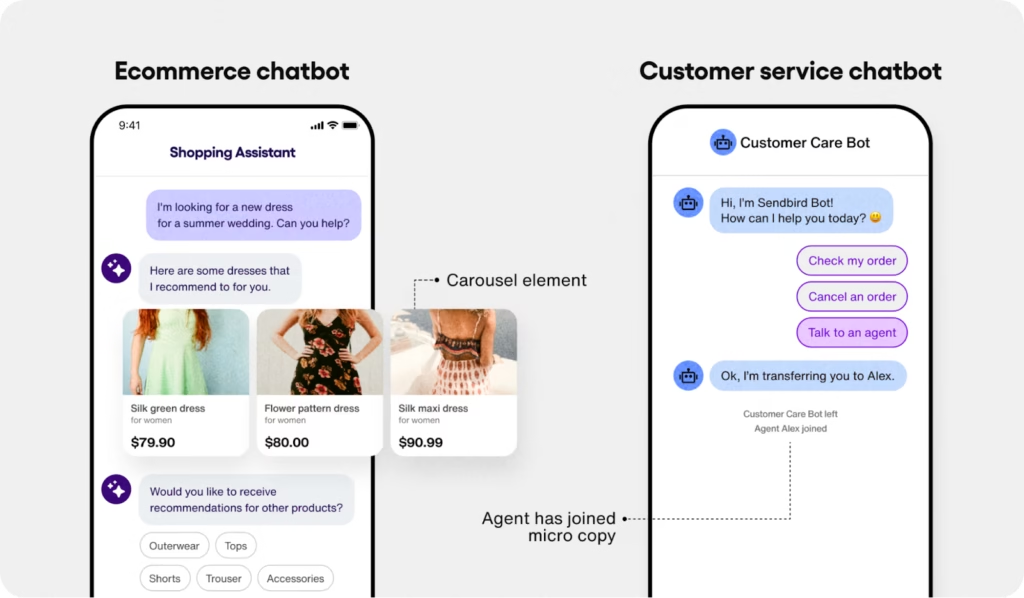
An automated support chatbot handles:
- FAQs
- Policy questions
- Basic troubleshooting
- Booking requests
This frees your team to focus on real human conversations that actually need empathy and judgment.
Better engagement through natural conversation
Modern AI chatbots don’t feel like stiff scripts anymore. They understand context. They respond naturally. AI chatbots keep users engaged longer, which helps reduce bounce rates and improve overall experience.
Real value for e-commerce sites
If you run an online store, an AI chatbot for e-commerce can:
- Recommend products
- Answer shipping questions
- Help during checkout
- Recover abandoned carts
Quietly. Politely. Effectively.
A chatbot doesn’t shout. It assists.
Types of Chatbots You Can Use on WordPress
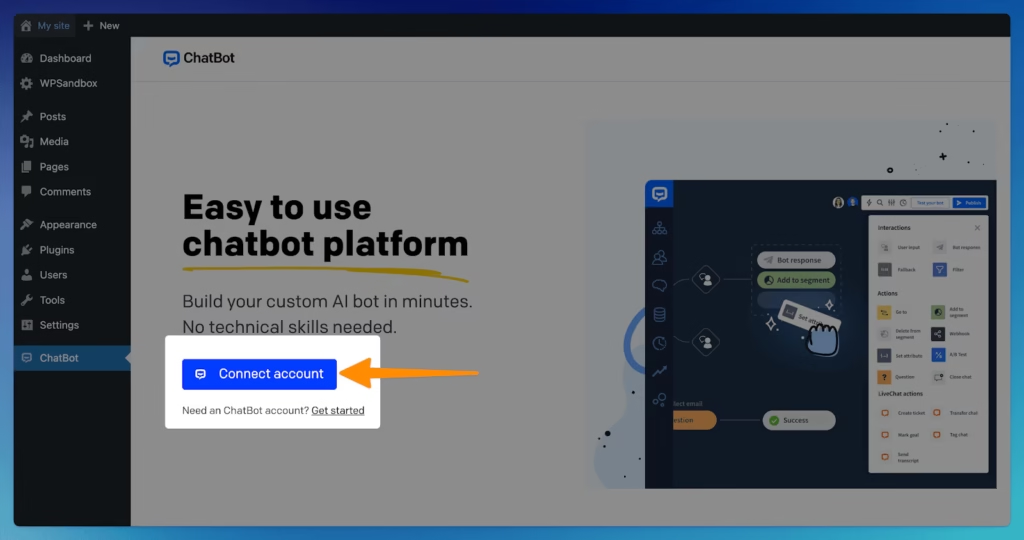
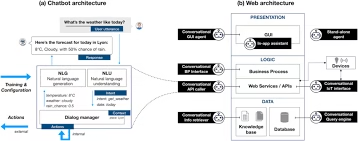
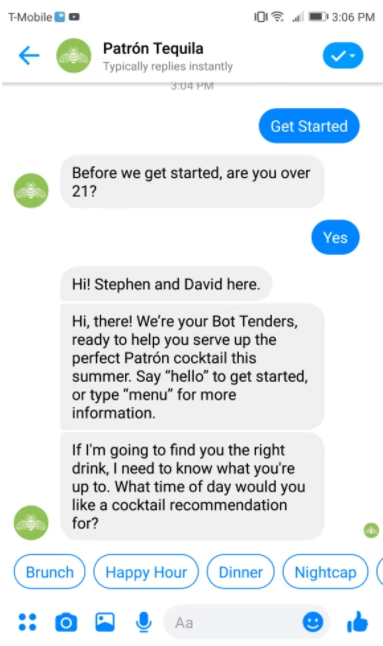
Chatbots are not a one-size-fits-all solution: the choice heavily depends on your needs of control, intelligence, and customization.
Plugin-based Chatbots (Easy & No-Code)
This is where most people should start.
A WordPress chatbot plugin installs just like any other plugin. No-code chatbot setup like AI BotKit, HybridAI Chatbot, or Limb Chatbot give you:
- Pre-built chat interfaces
- Simple configuration
- Optional AI features
- Short learning curve
They’re perfect for service websites, blogs, coaches, consultants, and small businesses.
API-based Chatbots (Advanced & Custom)
If you want deeper intelligence and personalization, API-based bots are powerful.
Here, you connect your WordPress site to an AI engine using API key configuration, often through platforms like OpenAI.
These bots:
- Understand context better
- Offer smarter replies
- Can have customized chatbot appearance
- Use your content more deeply
They’re ideal for SaaS companies, marketplaces, or high-traffic platforms.
Embedded / Third-party Chatbots
Some chatbot services operate outside WordPress and give you a small script to paste into your site.
This embed chatbot approach is:
- Fast to deploy
- Managed externally
- Low maintenance
It’s useful if you want minimal WordPress involvement but still want chatbot functionality.
What You’ll Need Before You Start (Chatbot Setup Process)
Before installing anything, let’s pause for a quick checklist.
You’ll need:
- A WordPress site with admin access
- The latest WordPress version
- A chosen chatbot plugin or service
- (Optional) An AI API key
- Content for knowledge base integration (FAQs, pages, blogs)
That’s it.
You don’t need to be technical. There’s no need for coding skills. A definite understanding of the area where the chatbot will be of assistance – is all that is required.
Step-by-Step: Installing a Chatbot Plugin on WordPress
Let’s walk through this like a friend guiding you, not a manual.
Step 1: Install the plugin
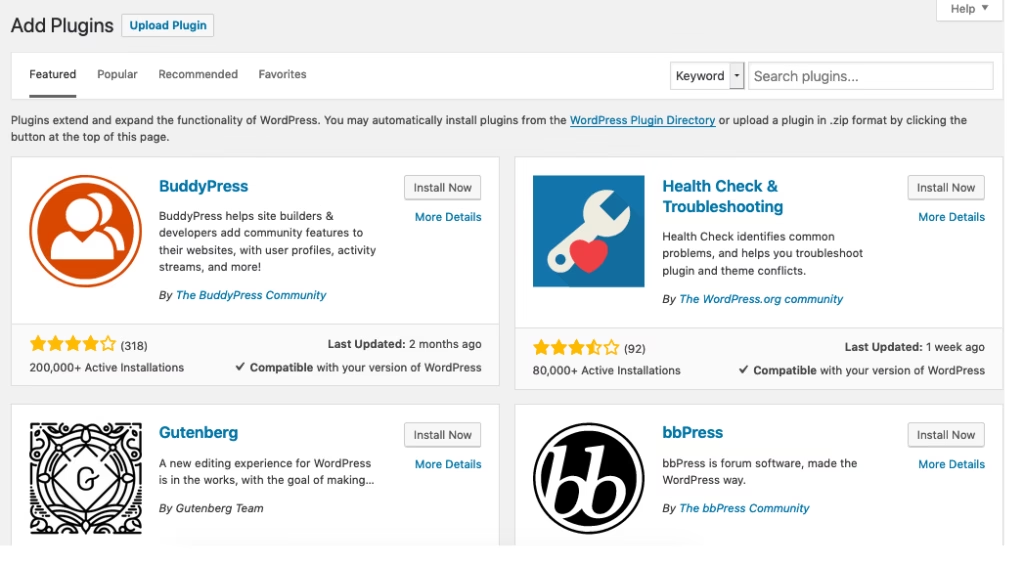
Go to your WordPress Dashboard → Plugins → Add New.
Search for your chatbot plugin (AI BotKit, HybridAI Chatbot, WPBot, etc.).
Click Install, then Activate.
You’ve completed the basic plugin installation steps.
Step 2: Set the tone and behavior
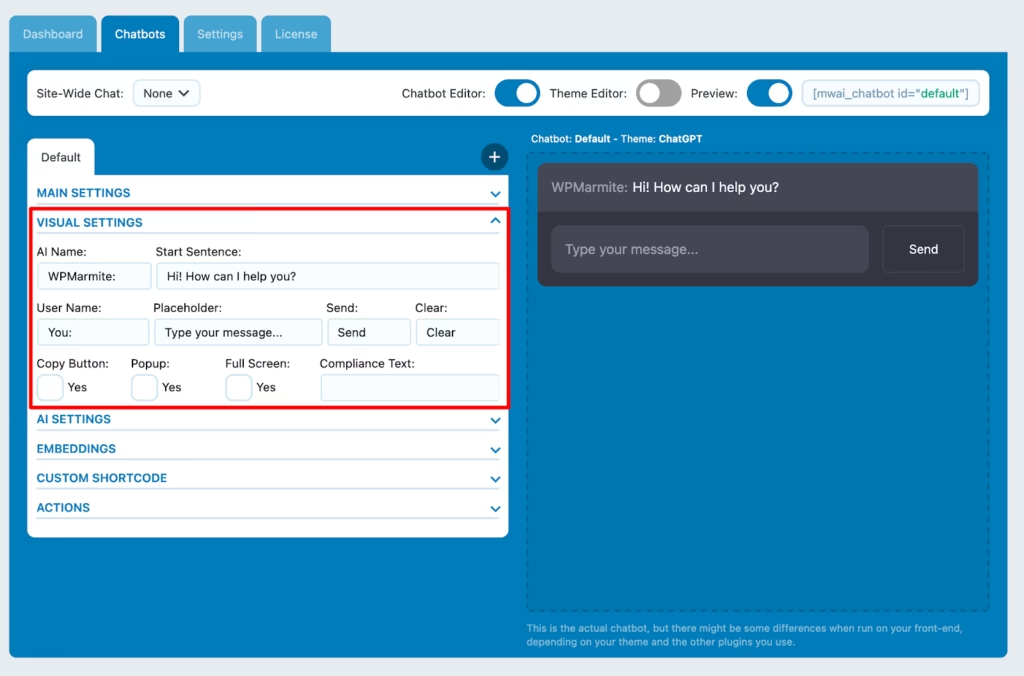
Open the plugin’s settings page. This is where your AI chatbot setup starts to happen.
Decide:
- Where the chat widget appears
- What the welcome message says
- Whether it pops up automatically or waits
- Colors that match your brand
A small tip: write welcome messages like you’re speaking to a real person.
Step 3: Add AI (if available)
If your plugin supports AI, paste your API key into the settings.
This activates natural language processing chatbot capabilities, meaning your bot understands questions better and responds more intelligently.
Step 4: Train your chatbot
Training doesn’t mean teaching code.
It usually means:
- Selecting pages and posts
- Uploading FAQs
- Allowing the bot to read site content
This step is crucial. A chatbot is only as good as the information it has.
Step 5: Place the chatbot
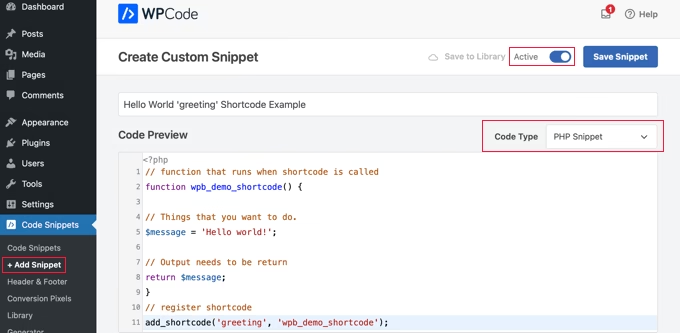
Some plugins auto-display the chatbot site-wide. Others need a shortcode like [chatbot_widget] or a Gutenberg block.
Place it where it feels natural, not intrusive.
Step 6: Test like a real user
Ask real questions.
Try confusing phrases.
See where the bot struggles.
Refine responses. Adjust triggers. Only then launch publicly.
Enhancing Your Chatbot: Features That Actually Matter
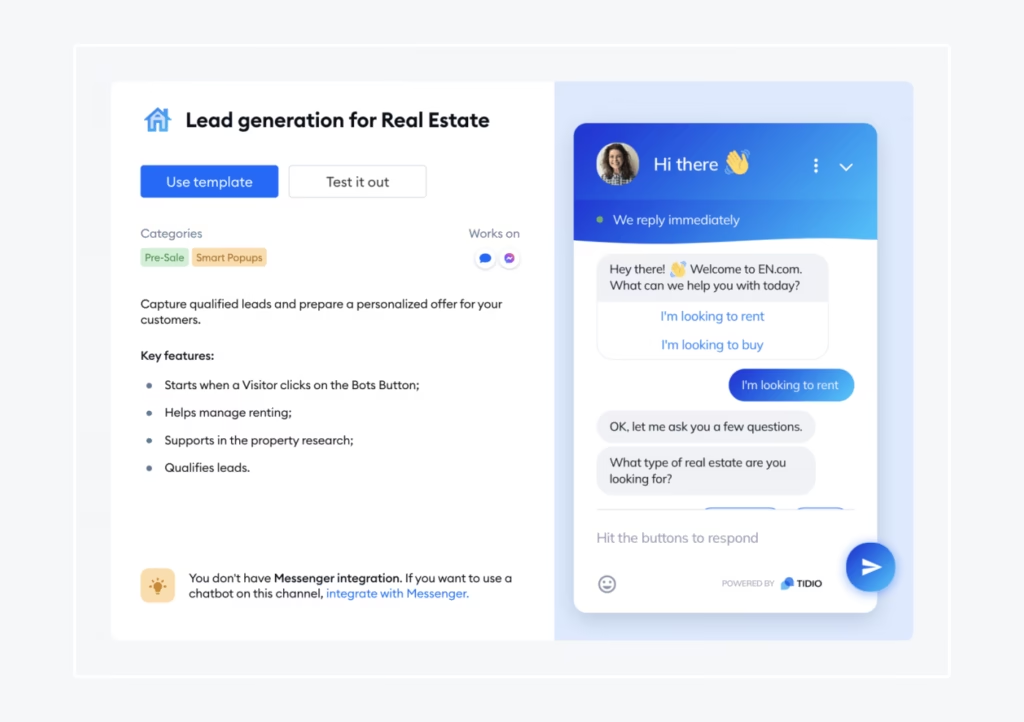
Once your chatbot is live, this is where the magic happens.
24/7 conversational support
Your chatbot never sleeps. It quietly supports visitors whenever they arrive, building trust without pressure.
Lead capture that feels natural
Forms interrupt. Conversations flow.
A lead generation chatbot collects information mid-chat, making it feel effortless.
Multi-language support
If your audience is global, this instantly widens your reach.
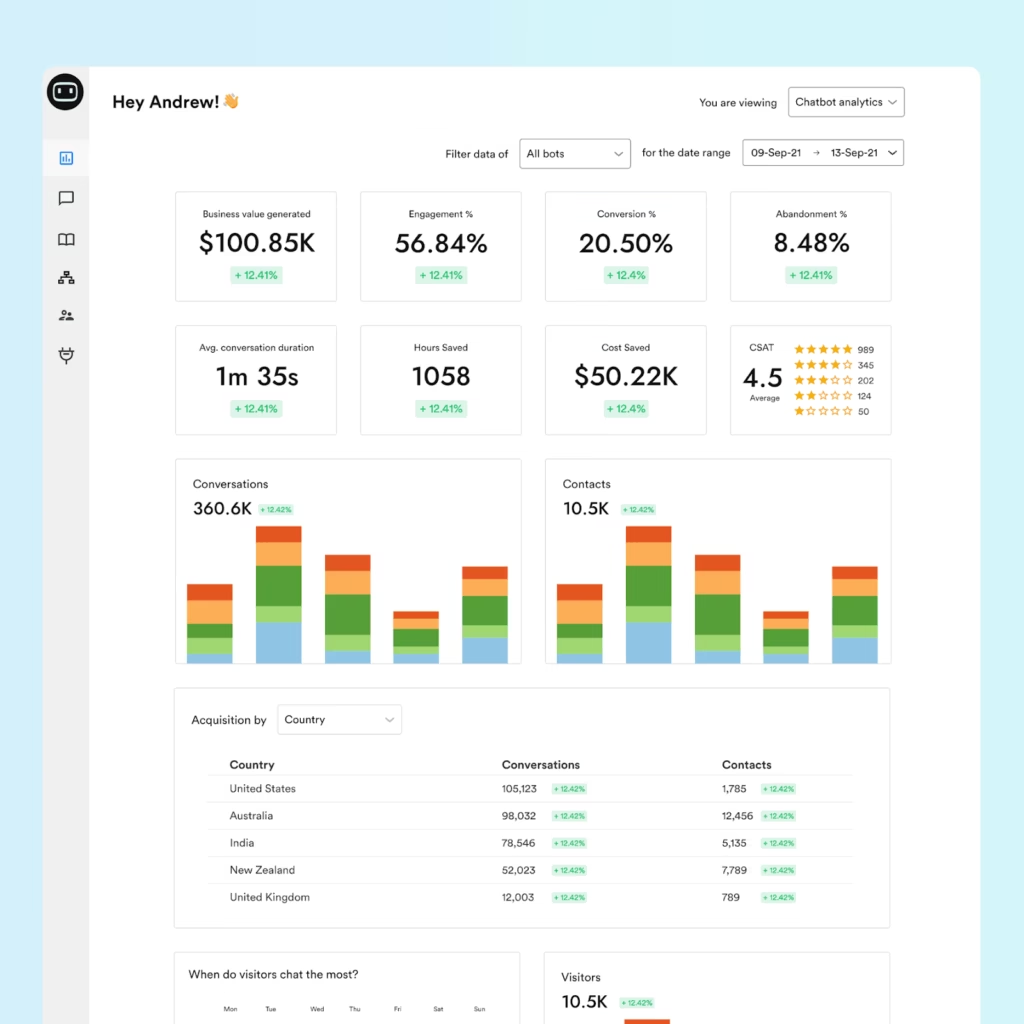
Analytics & insights
Chat logs are gold. They show:
- What users really ask
- Where your content is unclear
- What objections keep repeating
These user interaction analytics help improve not just the chatbot, but your entire site.
Mobile responsiveness
Most visitors come from mobile. Customizable chatbot design ensures your bots must feel smooth, readable, and non-intrusive on smaller screens.
Best Practices for Chatbot Integration
Here’s the part most people miss.
- Don’t over-automate
- Avoid robotic phrases
- Write like a human speaks
- Offer a way to reach a real person
- Review conversations weekly
A chatbot should support, not dominate.
Conclusion
Adding a chatbot to your WordPress site isn’t about being modern – it’s about being present.
It’s about showing visitors that someone is listening, even if that “someone” is powered by AI. Whether you’re implementing this yourself or working with a web development agency like CS Web Solutions, the priority should always be a better user experience, not just new technology.
Start simple. Keep it human. Let your chatbot evolve as your site grows and as your audience’s needs become clearer.
When done right, a chatbot doesn’t feel like software bolted onto your website but it feels like thoughtful, always-on support that strengthens trust and engagement.