

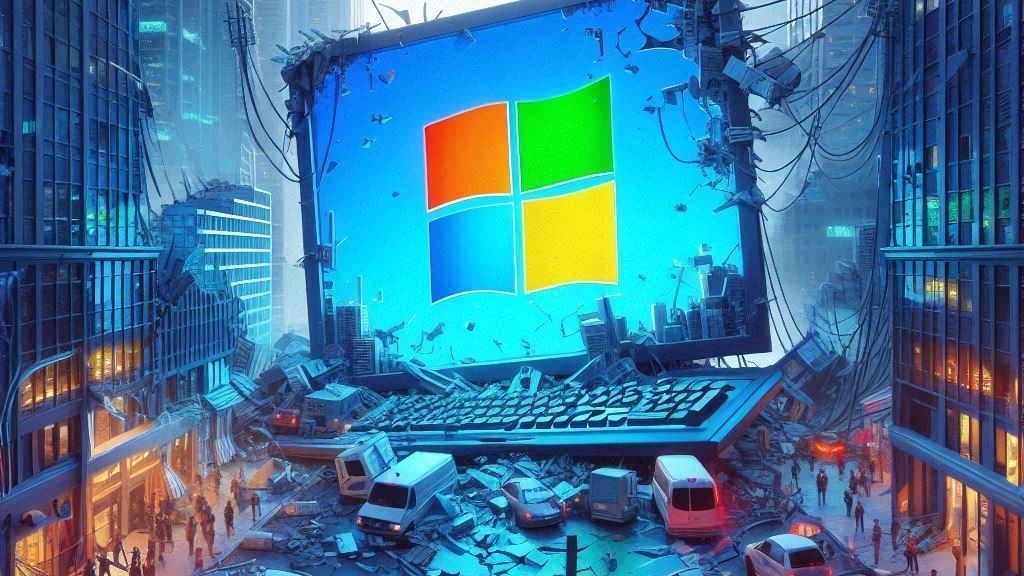
Windows 11 is Microsoft’s latest operating system, introducing a fresh interface, improved performance, and features that are specifically designed to enhance productivity and engagement across both personal and professional environments. Whether you’re looking to experience its optimized workflow features, updated security protocols, or streamlined aesthetics, download windows 11 is your first step to joining the next evolution of computing.
This guide provides a clear and professional walkthrough on how to download Windows 11, covering everything from verifying system requirements to choosing the right installation method for your needs.
Why Upgrade to Windows 11?
Before we get into the nitty-gritty details of downloading Windows 11, it’s worth briefly exploring why upgrading might be the right choice for you or your organization.
- Streamlined Interface: With sleek design improvements, centered taskbars, and a more intuitive layout, the aesthetic and functional redesign focuses on simplicity and user engagement.
- Enhanced Multitasking: Features like Snap Layouts and Virtual Desktops take productivity to the next level, allowing users to optimize their screen real estate and better organize their workflow.
- Improved Performance: Windows 11 boasts faster boot times, better power efficiency, and enhanced gaming performance, thanks to optimized software and hardware integration.
- Robust Security: With built-in security protocols such as TPM 2.0 and Secure Boot, Windows 11 aims to address modern cybersecurity challenges head-on.
- Future-Proof Compatibility: Designed to work with next-gen hardware, Windows 11 ensures performance benefits for years to come.
If these features align with your goals or needs, downloading Windows 11 will provide immediate access to these updates.
Step 1: Verify Your System Requirements
Before starting the download process, you’ll need to ensure that your current device is compatible with Windows 11. Microsoft has defined specific system requirements that must be met for a seamless installation experience.
Minimum System Requirements for Windows 11
- Processor: 1 GHz or faster with at least 2 cores on a compatible 64-bit processor
- RAM: 4 GB or more
- Storage: 64 GB of available storage or more
- System Firmware: UEFI firmware with Secure Boot capability
- TPM (Trusted Platform Module): Version 2.0
- Display: High-definition (720p) display larger than 9” diagonally with 8 bits per color channel
- Graphics Card: DirectX 12 compatible graphics / WDDM 2.x
How to Check System Compatibility
- Use the PC Health Check Tool: Download and run the tool to analyze whether your device meets these requirements. The tool provides a comprehensive report and identifies areas requiring attention.
- Manual Check via Settings: Navigate to your device’s settings and verify internal specifications like processor type, installed RAM, storage capacity, and firmware version.
Address any hardware limitations or compatibility issues identified before proceeding further.
Step 2: Create a Backup of Your Data
Even though the upgrade process is typically seamless, it’s always a best practice to back up important files before making major system changes. This ensures no data is lost in case of unexpected errors.
- Built-in Option: Use the Backup and Restore feature within Windows settings.
- Cloud Options: Save documents, images, and other critical data to a cloud service.
- External Storage Devices: Connect an external hard drive and manually transfer important files.
Data safety should never be overlooked during system upgrades.
Step 3: Evaluate Your Installation Options
Windows 11 offers multiple paths to obtaining the operating system. Select the installation method that aligns best with your technical proficiency and goals.
Option 1: Through Windows Update
- Access “Settings” > “Update & Security” > “Windows Update.”
- Check if the upgrade to Windows 11 is available.
- If eligible, follow the on-screen commands to initiate and complete the download directly.
This method is ideal for general users seeking simplicity and automatic updates.
Option 2: Manual Installation via Installation Assistant
For individuals comfortable with a more hands-on approach, the Installation Assistant can be downloaded directly from Microsoft’s website and guides you step-by-step through the upgrade process.
- Download and run the Installation Assistant tool.
- Confirm device compatibility.
- Follow the on-screen instructions to download and install Windows 11 manually.
This option allows flexibility while maintaining ease of use.
Option 3: Creating a Bootable Device
For advanced users or organizations deploying Windows 11 across multiple devices, creating a bootable USB or DVD is a useful method.
Steps to create a bootable device include:
- Visit the official download page and select the “Create Windows 11 Installation Media” option.
- Insert your USB or DVD.
- Use the Media Creation Tool to create the bootable media.
- Restart your system and boot from the USB/DVD for installation.
This option is suited for custom installations and full device wipes.
Step 4: Complete the Download
Once your installation method is determined, proceed with the download. Be sure to maintain a stable internet connection throughout the process.
- Estimated Time: Download and installation durations vary depending on your device configuration and internet speed but generally take 30-60 minutes. Answer prompts as needed, and allow the system to restart.
- Post-Installation Setup: After installation, you may need to configure account settings, privacy preferences, and additional apps required for your work or leisure environment.
Step 5: Explore New Features in Windows 11
Congratulations! You’ve successfully installed Windows 11. Start exploring features such as Snap Layouts, enhanced Widgets, and Teams integration to get the most out of your upgrade. Once comfortable with the system, take advantage of customization settings like Theme Builder and Taskbar personalization to tailor Windows 11 to your preferences.
Troubleshooting Tips
Sometimes unexpected errors arise during download or installation. Here are some quick troubleshooting tips to address common issues:
- Compatibility Errors: Redownload and re-check with the compatibility tool for corrections.
- Storage Space Issues: Free up storage space by deleting unnecessary files and programs.
- Connectivity Failures: Retry downloads in a stable internet environment or use an Ethernet connection for direct access.
- Slow Installation: Close unnecessary applications or background processes consuming system resources.
For persistent issues, refer to the software’s help documentation or consult a professional.
The Future Is Here—Upgrade Today
Windows 11 is a game-changer, offering powerful advancements in both functionality and design. By following this professional guide to downloading and installing the latest version, you ensure that you’re fully equipped to thrive in modern tech-driven workplaces.
Whether you’re a business leader driven by functionality or a professional seeking efficiency, there’s no better time to make the leap. Take advantage of the improvements and set yourself apart in a rapidly changing digital landscape.
Technology Perspective
Technology continues to transform industries through artificial intelligence, cloud computing, automation, cybersecurity, digital platforms, and data-driven decision making. As organizations increasingly adopt digital solutions, understanding emerging technologies becomes essential for businesses, professionals, and consumers. DGM News regularly covers these developments through expert analysis, technology news, and educational resources.
Innovation Outlook
Rapid advances in artificial intelligence, automation, machine learning, cloud infrastructure, and digital transformation continue reshaping global industries. Monitoring these developments helps organizations adapt to changing technologies, improve efficiency, and prepare for future innovation.
Did you know?
Artificial Intelligence is expected to influence nearly every major industry over the coming decade, from healthcare and finance to transportation, manufacturing, education, and entertainment.
AI, Machine Learning, Deep Learning and Generative AI Explained
Google AI Updates
About DGM News
DGM News is an independent digital publication delivering the latest Technology News, AI News, and FinTech News. We provide expert insights on startups, innovation, cybersecurity, software, business, gadgets, cloud computing, artificial intelligence, and emerging technologies. Our mission is to publish informative, accurate, and regularly updated content that helps readers stay informed in today's rapidly evolving digital landscape.
Since our editorial focus includes technology, artificial intelligence, and financial technology, we continuously expand our coverage as new innovations emerge.
Editorial Standards
Every article published on DGM News undergoes editorial review before publication. We prioritize factual accuracy, clarity, transparency, and reader value while following responsible digital publishing practices.
Research Methodology
Our editorial team researches publicly available information from official announcements, technical documentation, research publications, developer resources, reputable industry reports, and trusted public sources whenever applicable. Information is reviewed to improve clarity and accuracy before publication.
Fact-Checking Policy
We make reasonable efforts to verify factual information before publishing. Articles are reviewed for accuracy, consistency, and relevance. If significant developments occur after publication, content may be revised to reflect updated information.
Update Policy
Technology evolves rapidly. Articles may be reviewed and updated periodically to reflect software releases, AI developments, security advisories, regulatory updates, product launches, and other important industry changes.
Source Verification
Whenever possible, DGM News reviews information using official company announcements, technical documentation, research publications, government resources, publicly available reports, and reputable industry references before updating articles.
Editorial Independence
DGM News maintains editorial independence in all publishing decisions. Editorial content is produced independently and is intended to provide balanced, informative, and reader-focused coverage without influence from advertisers or commercial partnerships.
AI Usage Disclosure
Artificial intelligence tools may assist with research organization, grammar improvement, formatting, or editorial workflows. Every article is reviewed by human editors before publication to help maintain quality, clarity, and factual accuracy.
Corrections Policy
Accuracy is important to us. If readers identify outdated information or factual inaccuracies, they are encouraged to contact our editorial team. Verified corrections are reviewed and incorporated whenever appropriate.
Reader Feedback
Reader feedback helps improve our journalism. We welcome suggestions, corrections, and constructive feedback through our Contact page to continuously improve the quality of our reporting.
Last Editorial Review
This article follows the DGM News editorial review process and may be updated periodically as new information becomes available.
Why Trust DGM News?
DGM News is committed to publishing technology journalism that emphasizes accuracy, transparency, editorial independence, and regularly updated information. Our editorial process is designed to provide readers with reliable coverage of technology, AI, fintech, startups, and digital innovation.
DGM News Resources
Topics We Cover
Artificial Intelligence • AI Tools • Machine Learning • FinTech • Cybersecurity • Cloud Computing • Programming • Software Development • Gadgets • Mobile Technology • Business Technology • Startups • Digital Marketing • Blockchain • Cryptocurrency • Science • Innovation • Consumer Technology • Enterprise Technology • Automation
