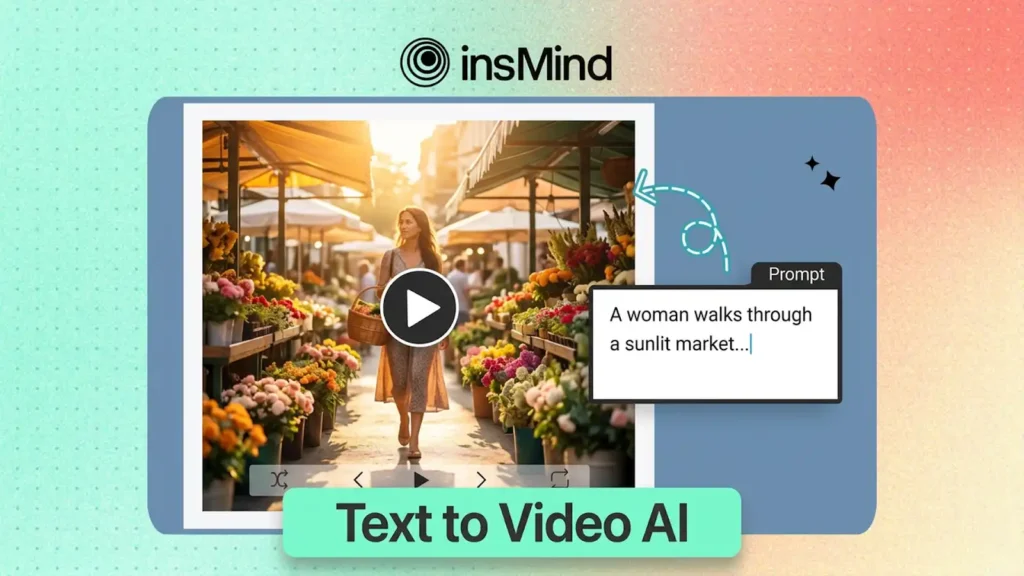
Type a sentence. Watch it become a fully rendered video. That’s the core promise of today’s text-to-video AI tools — and in 2026, the competition among generators has reached a fever pitch. From cinematic engines that simulate real-world physics to lightweight platforms built for rapid social content, the market offers a tool for virtually every creator and every budget.
But which platforms genuinely deliver on their marketing claims? We put seven of the most prominent
text-to-video AI generators through rigorous head-to-head testing, evaluating each on visual output quality, motion realism, pricing, maximum duration, and user experience. Whether you’re a content creator who needs fast social clips, a marketer building ad campaigns, or a filmmaker visualizing scenes, this ranked breakdown will help you identify the right AI video generator for your specific workflow.
At a Glance: How the Top 7 Text-to-Video AI Tools Compare
Before we dissect each platform individually, here’s a high-level snapshot of how these seven generators stack up across the metrics that matter most to creators: price, maximum output length, visual quality, and ideal application.
Let’s examine each platform in detail so you can determine which one genuinely fits your needs.
1. insMind — Best All-Around Text-to-Video Solution
Why limit yourself to a single AI model when you can access several of the most powerful ones from a unified dashboard? That’s insMind’s core value proposition, and it’s the primary reason this platform claims the top position in our ranking. Rather than forcing a choice between competing engines, insMind aggregates access to Kling 2.6, the Kling 3.0 engine, Google Veo 3.1, and other cutting-edge models — all from one clean, intuitive workspace.
The platform covers the full spectrum of AI video creation: text-to-video, image-to-video, and video effects. Output is available in multiple aspect ratios — 16:9 for YouTube, 9:16 for TikTok and Reels, 1:1 for Instagram — without requiring tool changes. Several supported models also feature native audio generation, embedding synchronized sound directly into the output.
Where insMind truly differentiates itself is flexibility. Different AI models excel at different visual styles: some shine at cinematic storytelling, others prioritize speed for social-first production. By offering a menu of engines, insMind lets you select the optimal tool for each individual project. And with a free trial that lets you explore before committing, it’s the most accessible on-ramp to AI video creation in 2026.

Strengths
- Multiple premium AI models accessible through a single interface
- Intuitive design that serves beginners and power users alike
- Free tier available for evaluation and lightweight production
- Flexible output ratios: 16:9, 9:16, 1:1
- Rapid adoption of new models as they launch, including audio-capable engines
Limitations
- Premium models may consume credits beyond the free allocation
- Queue times can increase during high-traffic periods
2. Sora 2 — Best for Cinematic Fidelity
Can AI truly replicate the visual depth of a Hollywood production? Sora 2 comes closer than any other tool currently available. OpenAI’s flagship text-to-video model delivers stunning physics simulation — water, fabric, light, and gravity behave with a realism that was unimaginable just two years ago. It can produce clips up to 60 seconds with native audio, making it the only platform on this list that consistently delivers content with the weight and texture of professional cinematography.
The trade-off? Access requires a ChatGPT Pro subscription at $200 per month, and output quality is notoriously inconsistent. In our testing, roughly 30% of generations were genuinely breathtaking, while about 20% contained visible artifacts or failed outright. Sora 2 is a tool for patient, well-funded creators willing to iterate their way to exceptional results.
Strengths
- Industry-leading physics simulation and visual realism
- Longest single-generation duration — up to 60 seconds
- Built-in native audio generation
- Exceptional for narrative and storytelling sequences
Limitations
- Steep $200/month price tag (ChatGPT Pro subscription required)
- Inconsistent generation quality — frequent re-rolls needed
- Some features still gated behind limited access
3. Runway Gen-4.5 — Best for Professional Post-Production Workflows
Need frame-precise control over camera choreography and shot composition? Runway Gen-4.5 remains the definitive choice for filmmakers and professional editors. As one of the longest-established players in the AI video space, Runway has built a mature ecosystem with proven stability, granular camera controls, and tight integration with existing post-production pipelines.
Gen-4.5 provides precise manipulation of pan, tilt, zoom, and dolly movements — a degree of directorial control that most rivals simply can’t match. It also excels at image-to-video conversion, letting you
transform still images into animated sequences with impressive accuracy. Plans range from $12/month to $76/month for teams, representing a reasonable investment for working professionals. The compromise is a 16-second cap on clip length and relatively slower generation compared to newer entrants.
Strengths
- Unrivaled camera control precision
- Professional-grade tooling designed for filmmakers
- Dependable, consistent output quality
- Robust ecosystem with plugins and API access
Limitations
- Maximum clip length of just 16 seconds
- Generation speed lags behind newer competitors
- In-video text rendering remains a weak point
4. Kling AI — Best Value Proposition
Is it feasible to generate video from text without burning through your budget? Kling AI makes a convincing case. Starting at just $5/month, the platform delivers impressively strong motion quality, rich character rendering, and — most notably — video lengths reaching up to five minutes per single generation. No other tool on this list offers comparable duration at anywhere near that price point.
Kling excels at action-intensive scenes where dynamic motion is paramount. Character consistency across longer clips is notably strong, and the high-resolution output holds up well even on large displays. The downsides include a less refined user interface relative to Western competitors, unpredictable queue times during peak hours, and limited availability in certain regions. But for creators who prioritize volume and duration on a constrained budget, Kling AI is difficult to beat.
Strengths
- Longest possible output — up to 5 minutes per generation
- Most affordable paid tier, starting at $5/month
- Excellent motion dynamics and action rendering
- High-resolution detail that scales well to large screens
Limitations
- User interface is less polished than alternatives
- Queue times fluctuate unpredictably during peak demand
- Regional availability restrictions apply
5. Pika — Best for Rapid Social Media Output
When speed is the priority, Pika delivers. Built from the ground up for social media creators, this text-to-video generator emphasizes rapid iteration and simplicity over maximum visual fidelity. The interface is stripped to essentials — type a prompt, choose a style, and you’ll have a short clip ready to publish in seconds rather than minutes.
Pika’s free tier is sufficiently generous for casual experimentation, making it a solid starting point for creators who need to churn out high volumes of short-form content for TikTok, Instagram Reels, and YouTube Shorts. While it doesn’t reach the visual polish of premium tools like Sora 2 or Runway, it fills a distinct gap for those who value turnaround time and accessibility above all else.
Strengths
- Fastest generation times of any tool in our testing
- Streamlined, beginner-friendly interface
- Well-optimized for high-volume social content production
- Free tier available for experimentation
Limitations
- Visual quality falls below premium-tier competitors
- Clip duration caps limit longer content needs
- Less cinematic depth and fine detail
6. Google Veo 3 — Best for Photorealistic Motion
How close can AI-generated footage get to looking indistinguishable from real-world video? Google Veo 3 pushes that boundary further than nearly any competing tool. Leveraging Google’s immense computational infrastructure and training data, Veo 3 produces videos with extraordinary realism — natural lighting, fluid human movement, and precise environmental detail that frequently passes the ‘is this real?’ test.
Veo 3 also includes native audio synchronization, generating matching sound effects and ambient audio alongside the visual output. Access is currently available through Google AI Studio, integrating smoothly with the broader Google ecosystem. The main constraints are limited public availability, usage caps that feel restrictive for heavy producers, and fewer customization options compared to tools like Runway. But for raw visual realism, Veo 3 is among the absolute best.
Strengths
- Exceptional visual realism and natural motion dynamics
- Native audio synchronization included in output
- Smooth integration with Google’s broader tool ecosystem
- Rapidly improving through frequent model iterations
Limitations
- Limited public access — still rolling out regionally
- Fewer creative customization controls
- Usage caps may constrain high-volume creators
7. Seedance 2.0 — Best for Character Consistency
What happens when you need the same character to appear consistently across multiple video clips? This is the exact challenge where most AI video generators falter — and where Seedance 2.0 excels. Designed around reference-driven workflows, Seedance accepts text, image, and even video inputs to maintain character identity, wardrobe details, and visual style across separate generations.
This capability makes Seedance particularly valuable for serial content creators, educators developing course materials, and marketers who need brand-consistent mascots or virtual spokespeople across campaigns. The platform supports rapid iteration, allowing quick refinement without losing the thread of a character’s visual identity. The trade-off: Seedance is a newer entrant with a smaller community, limited documentation, and a steeper onboarding curve for first-time users.
Strengths
- Multi-modal input: text, image, and video references
- Industry-leading character consistency across clips
- Fast iteration and visual refinement cycle
- Strong motion quality for character-focused content
Limitations
- Newer platform with less proven long-term reliability
- Limited community resources and learning materials
- Steeper learning curve than simpler alternatives
How to Generate Videos from Text with insMind
Ready to create your own AI video right now? Here’s the step-by-step process using insMind’s AI video generation platform. The workflow takes just minutes and requires zero video editing background.
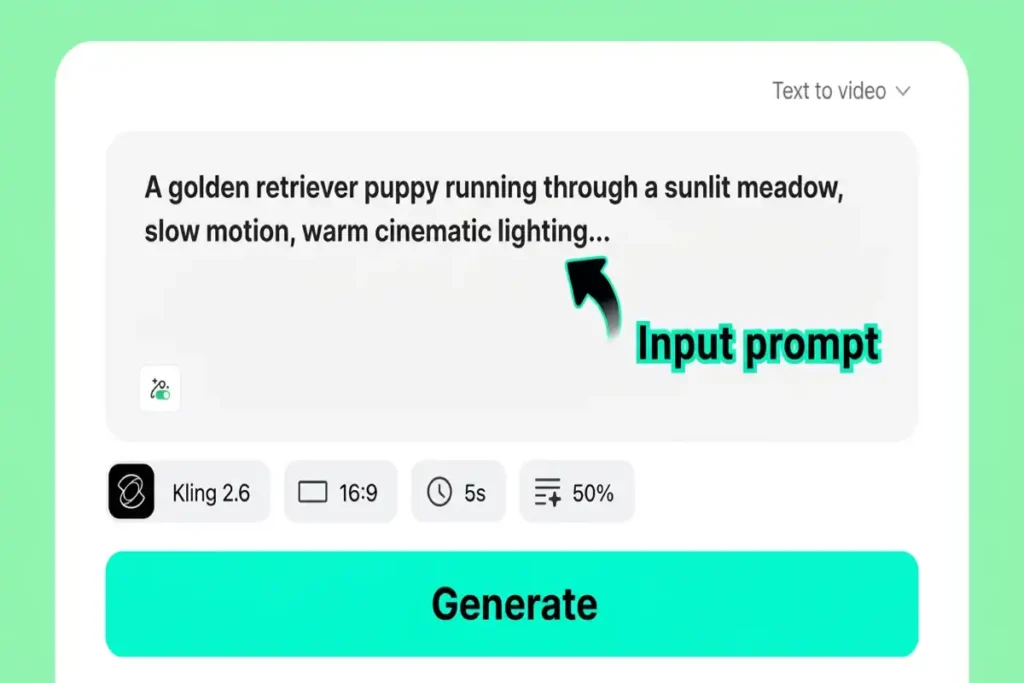
Step 1: Write Your Text Prompt
Begin by describing your video scene with as much detail as possible. Include the characters, their actions, camera angles, lighting conditions, and the artistic style you’re after. Richer prompts yield better output. For example: ‘A woman in a crimson dress strolls through a sun-dappled flower market, camera gliding alongside her, warm golden-hour light, cinematic film grain.’
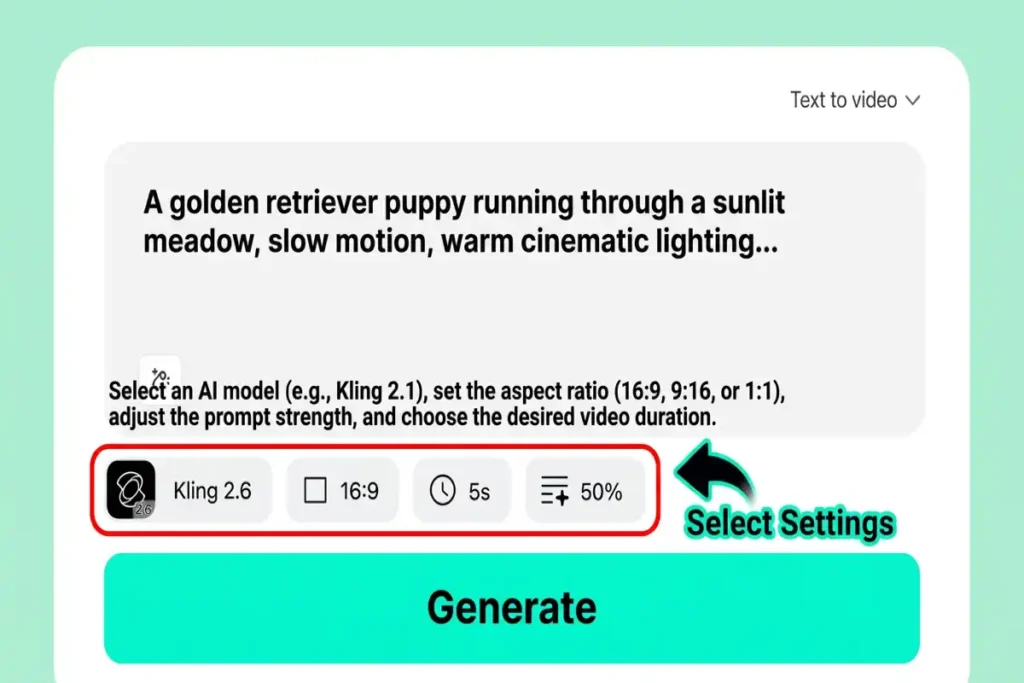
Step 2: Configure Your Video Settings
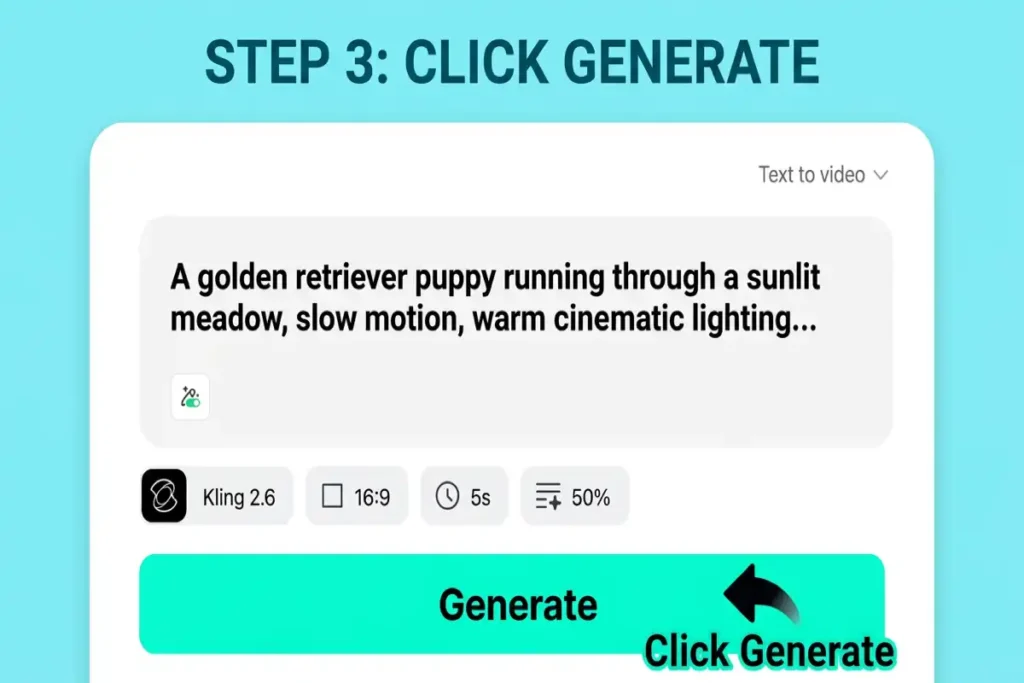
Select your preferred duration, aspect ratio (16:9 for landscape, 9:16 for vertical, 1:1 for square), and AI model. We recommend Kling 2.6 for fast, dependable output, Kling 3.0 for enhanced detail, or Google Veo 3.1 for maximum photorealism. Each engine has its strengths — experimentation is encouraged.
Step 3: Generate Your Video
Press the generate button and let the engine work. Behind the scenes, the AI parses your text prompt and translates it into visual elements — assembling scene composition, choreographing movement, planning camera motion, and applying your chosen aesthetic. Generation typically completes in 30 seconds to a few minutes depending on the model and current demand.
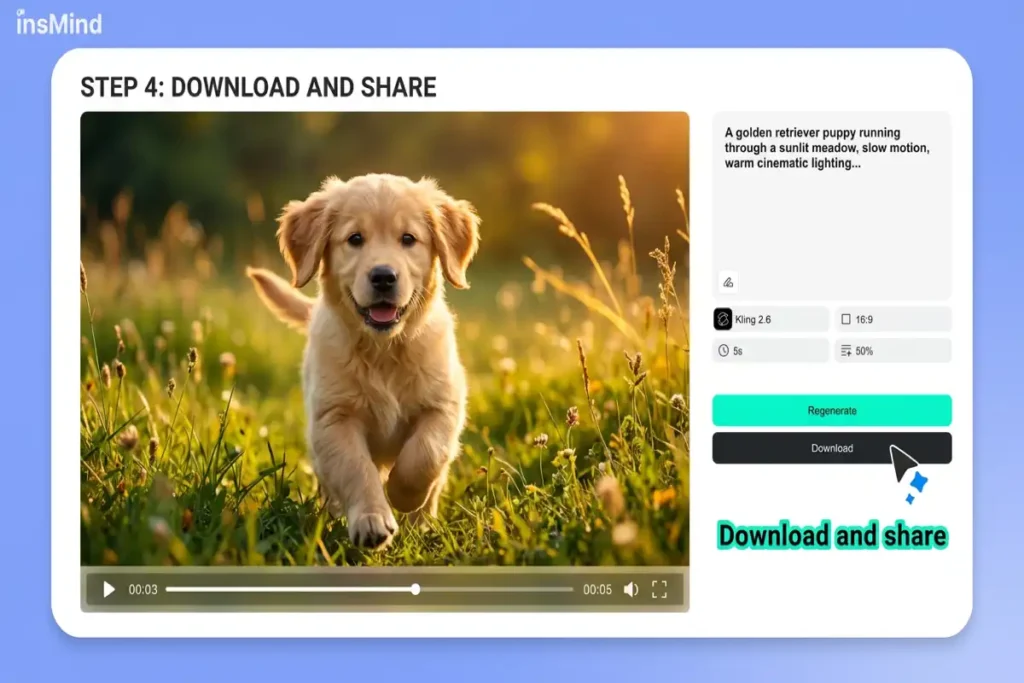
Step 4: Download and Share
Once the video is ready, preview it directly in your browser. If you’re pleased with the result, download it in high quality. Share directly to social platforms or import the file into your preferred editor for further refinement. If the output needs adjustment, tweak your prompt and regenerate — iteration is the key to unlocking the best results from any text-to-video AI tool.
How to Select the Right Text-to-Video Platform
With seven capable contenders, how do you narrow the field? Ask yourself these four questions:
What’s your budget? For a free starting point, both insMind and Pika offer complimentary tiers. For the most affordable paid plan, Kling AI begins at $5/month. Sora 2’s $200/month entry point makes it viable only for serious professionals or production studios.
How long do your clips need to be? Most tools cap out between 10 and 60 seconds. Kling AI is the clear leader for duration at up to 5 minutes. If you only need short social clips, Pika or Runway will serve you well.
How critical is visual quality? For cinematic-grade realism, Sora 2 and Google Veo 3 lead the field. For excellent quality at a more accessible price, insMind’s multi-model approach lets you choose the optimal engine for each project.
What’s your primary use case? Social content creators should prioritize speed (Pika, insMind). Filmmakers need precise camera control (Runway). Marketers requiring character consistency should investigate Seedance 2.0. And if you want maximum versatility from a single platform, insMind’s multi-model architecture covers the broadest range of scenarios.
Frequently Asked Questions
What is the best free text-to-video AI tool available?
insMind provides the most feature-rich free tier for text-to-video AI generation in 2026. It grants access to multiple AI models without requiring a credit card, enabling you to evaluate different engines and identify the ideal match for your content. Pika also offers a free plan, though with more constrained output quality.
Can any AI tool generate videos longer than 30 seconds from text?
Yes. Sora 2 can produce single clips up to 60 seconds, and Kling AI supports video generation extending to 5 minutes from a single prompt. Most other platforms cap out between 10 and 16 seconds per generation, though multi-clip stitching enables longer content.
Which text-to-video AI produces the highest visual quality?
For pure visual fidelity and physics simulation, Sora 2 leads — but at a premium price and with unpredictable consistency. Google Veo 3 is a close contender for photorealism. For the strongest balance of quality, flexibility, and cost, insMind’s multi-model platform lets you access the highest-quality engine available for each specific video.
Is text-to-video AI mature enough for commercial applications?
Absolutely. In 2026, leading AI video generators produce output that’s routinely deployed in social media marketing, product demonstrations, advertising campaigns, and even short film production. Tools like Runway Gen-4.5 and Sora 2 are already embedded in professional studio pipelines. For any commercial usage, always verify each platform’s licensing terms and usage rights.
What’s the distinction between text-to-video and image-to-video AI?
Text-to-video AI constructs a video entirely from a written description — the AI generates all visuals from a blank canvas. Image-to-video AI takes an existing image as its starting frame and animates it into motion. Many platforms, including insMind, support both approaches. Image-to-video is optimal when you have a specific visual you want to bring to life; text-to-video provides maximum creative freedom from zero.
Start Creating AI Videos from Text Today
The text-to-video AI landscape in 2026 offers a solution for every creator, every budget, and every creative scenario. Whether you need the cinematic depth of Sora 2, the directorial precision of Runway, the value-driven output of Kling AI, or the multi-model versatility of insMind, there has never been a better time to bring your ideas to life.
If you’re looking for the single best starting point — one platform that provides access to multiple cutting-edge models, flexible output configurations, and a free tier to begin experimenting — insMind is our top recommendation. Stop imagining your ideas and start watching them materialize.