AI video generation has advanced rapidly — from simple text-to-video tools to systems that can take your own images, understand visually what you want to animate, and produce consistent, compelling videos. One of the most effective ways to generate high-quality content is through reference-to-video AI, which uses your images to anchor the visuals throughout the video.
What Is Reference-to-Video AI?
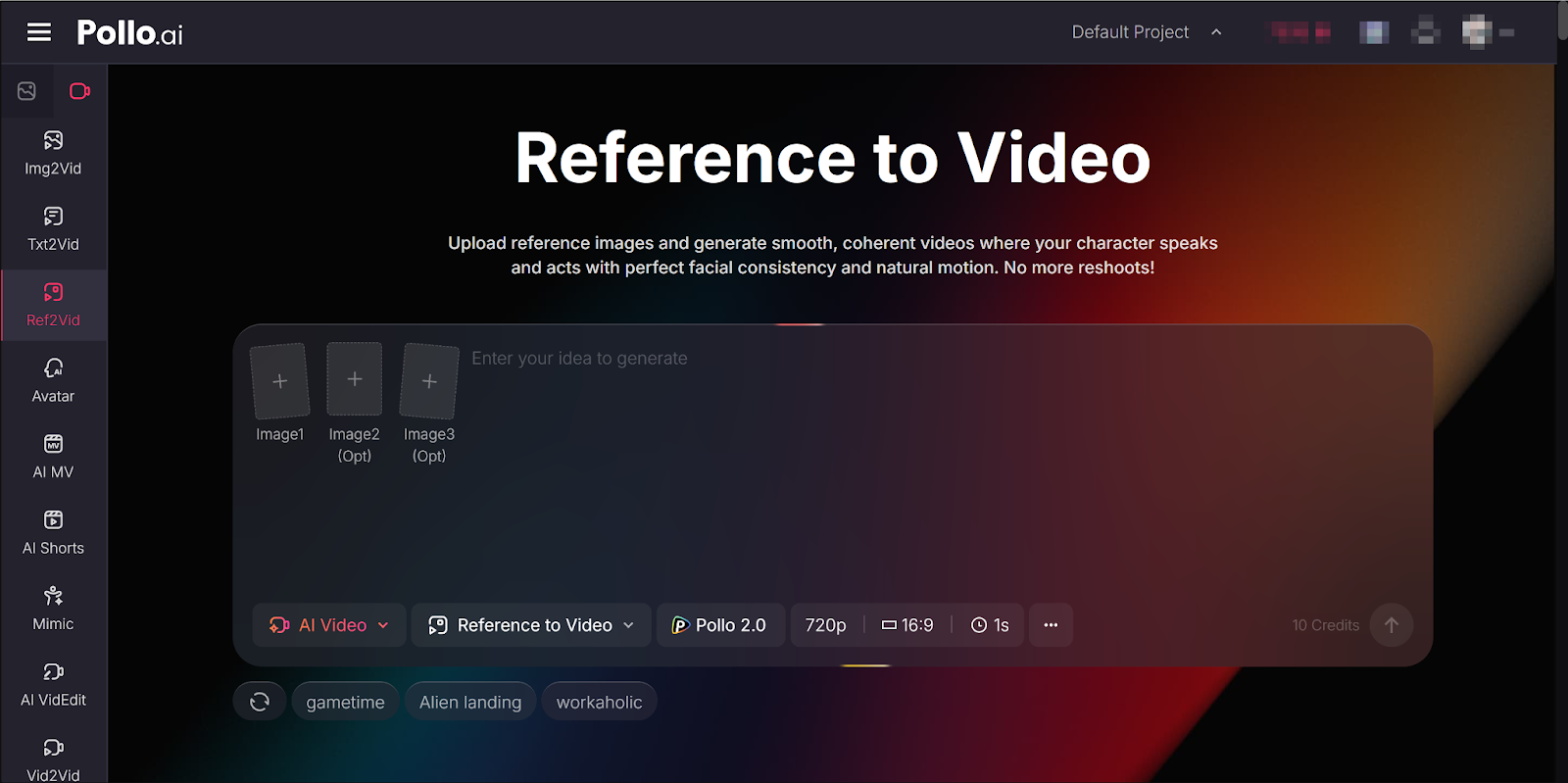
Reference-to-video AI lets you upload one or more images as visual references to guide the video creation process. Instead of generating video purely from text or a single still image, these systems use the reference images to keep subject appearance, style, or identity consistent throughout the video — even as motion, camera movement, and scene context change.
Let’s break that down:
- Visual Identity: Your references tell the model how the main subject looks — its face, outfit, colors, and style.
- Motion Guidance: A text prompt or instruction tells the system what action or scene you want — for example, “walking through a city street” or “product rotating with dramatic lighting.”
- Consistency Across Frames: Because the video is anchored to your references, the style and appearance remain stable rather than drifting or morphing unpredictably, which is a common problem with older tools.
This makes it ideal for character animation, brand videos, product showcases, narrative shorts, and social content.
Step-by-Step Workflow for Beginners
1. Pick the Right Reference Images
The quality of your input images matters. Choose:
- Clear, well-lit photos
- Multiple angles or expressions (if possible)
- Images without heavy filters or distortions
If you have more than one reference (say, front and side views of a character or product), upload them to Pollo AI reference to video which support multiple images.
2. Craft a Simple Prompt
Your text prompt should describe:
- What action the subject should perform (“walks toward the camera”, “spins and reveals label”)
- The setting (“city street at dusk”, “clean white product studio”)
- Any camera moves (“slow zoom”, “tracking shot from left to right”)
Be specific but concise — a clear prompt gives the AI better guidance.
3. Choose Output Settings
Depending on the tool, you may be able to select:
- Aspect Ratio (e.g., 16:9 for YouTube, 9:16 for TikTok/Reels)
- Resolution (720p, 1080p, etc.)
- Audio Options (voice, music, ambient sound)
- Length (how long you want the video)
These options help tailor the final video to your platform and audience.
4. Generate and Review
Once everything is set:
- Hit generate
- Wait for the process to complete
- Preview the video
- If needed, tweak your prompt or references and regenerate
Tools vary in speed and cost — some offer free credits or tiered pricing.
A Recommended Tool for Reference-to-Video: Pollo AI
If you’re just getting started and want a one-stop platform for experimenting with reference-to-video plus other AI video capabilities, Pollo AI is worth checking out.
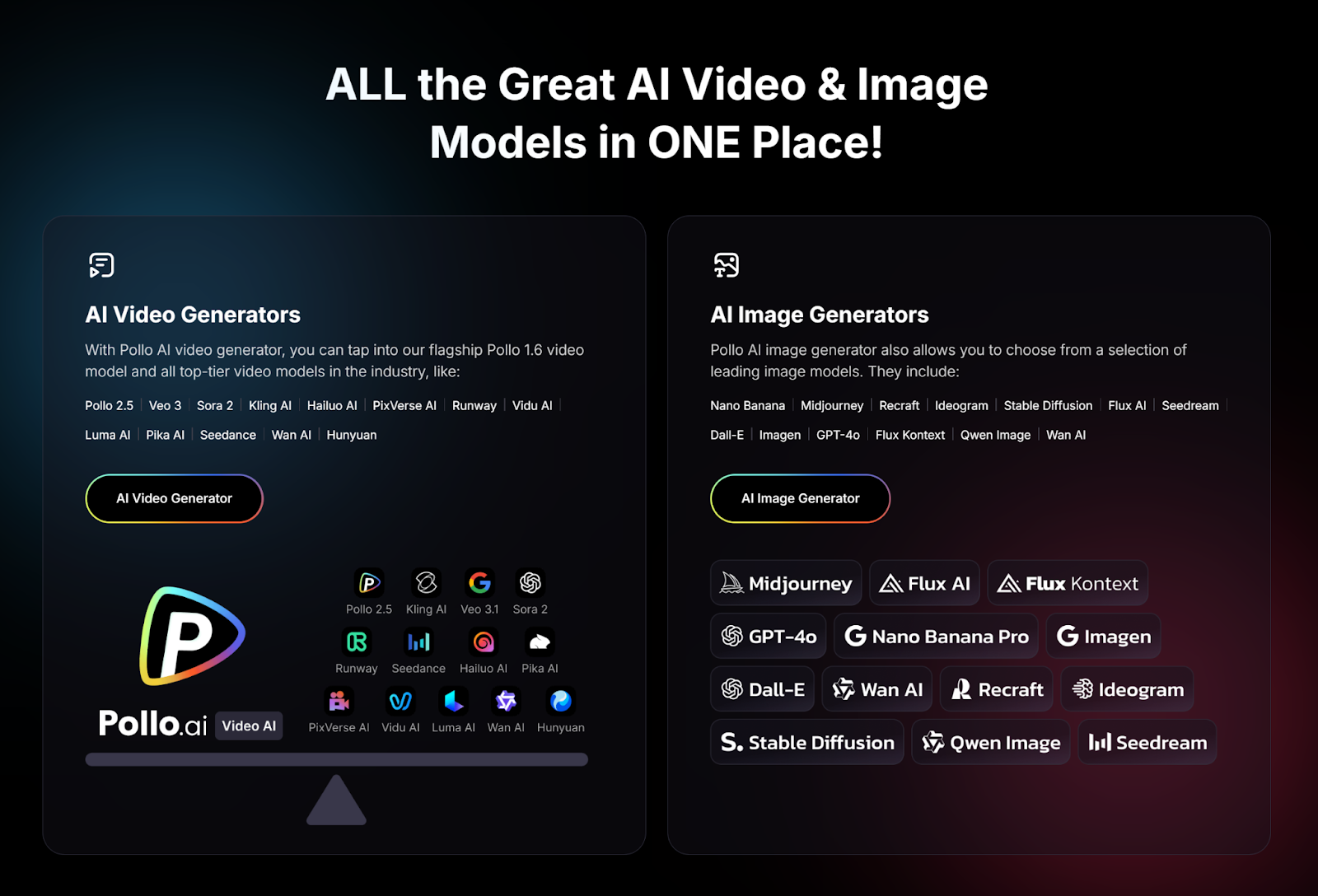
Pollo AI is an all-in-one AI video generation platform that gives you access to multiple powerful video models, including popular ones like Veo 3, Sora 2, Kling AI, Wan AI, and more directly inside one interface.
Here’s what makes it beginner-friendly:
- Reference-to-Video AI: You can choose models that support reference-guided workflows — such as Wan AI, which is known for good consistency with references.
- App Availability: There’s a dedicated app that lets you generate videos on mobile or desktop, so you don’t have to juggle separate tools.
- All-in-One Workflow: Beyond reference-to-video, you also get tools for text-to-video, image-to-video, editing, avatars, and effects — meaning you can evolve your workflow without switching apps.
This makes Pollo AI flexible for creators of all skill levels — from social media clips to product marketing video concepts.
Best Practices for Reference-to-Video
- Start with 1-3 high-quality references before trying larger sets.
- Iterate prompts — small changes often lead to big improvements.
- Tailor settings to your platform (vertical for short-form, horizontal for long-form).
- Review and refine — no tool gets it perfect on the first try.
Final Thoughts
Reference-to-video AI has opened up video production to a much wider audience. By anchoring videos to your own images, you get visual consistency and creative control that older text-only or image-to-video tools can’t match.
With platforms like Pollo AI providing access to top models and an integrated workflow, even beginners can start creating polished AI videos without a steep learning curve. Start experimenting, tweak your inputs, and build a library of content you’re proud of.