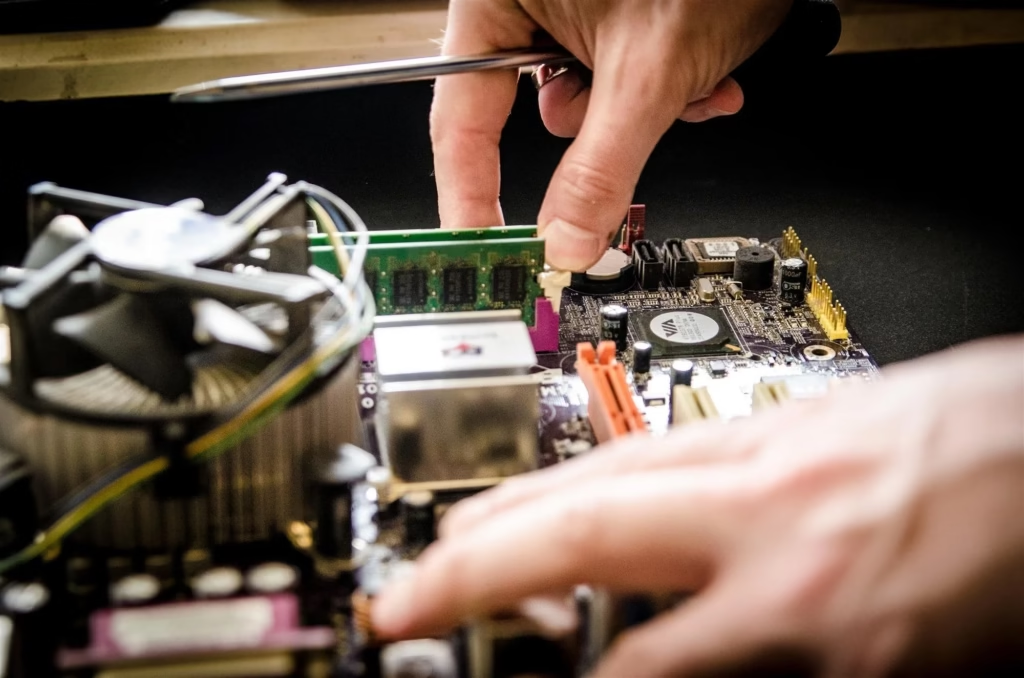
When a computer starts acting up, it rarely happens at a convenient time. Maybe your laptop freezes right before a deadline, or your desktop refuses to start on a busy Monday morning. In moments like these, the goal isn’t just to get the computer working again—it’s to fix the problem quickly without risking important files or data.
Booking computer repair services can feel stressful, especially if you’re worried about downtime or losing information. But with the right approach, it doesn’t have to be. Knowing what to look for—and what questions to ask—can save time, reduce frustration, and keep your data safe.
Start by Understanding the Problem (Without Overthinking It)
You don’t need to diagnose the issue like a technician, but having a basic idea of what’s going wrong helps speed things up. Is the computer slow, not turning on, showing error messages, or acting strangely after a recent update?
This is similar to calling a mechanic. You don’t need to know how an engine works, but saying “the car won’t start” or “there’s a strange noise when braking” helps narrow down the problem.
Before booking a repair:
- Note when the problem started.
- Remember any recent changes (updates, new software, drops, or spills)
- Check whether the issue is constant or intermittent.
Clear information helps technicians prepare and reduces back-and-forth, which saves time.
Why Data Protection Should Be a Top Priority
Speed matters, but data protection matters more. Photos, documents, client records, and personal files are often far more valuable than the device itself.
Professional repair services should treat data safety as a core responsibility, not an optional extra. This means using secure processes, avoiding unnecessary access to files, and clearly explaining what steps will be taken during the repair.
Understanding basic concepts around computer security helps explain why careful handling is essential. Even simple repairs can expose data if proper precautions aren’t taken.
Just as healthcare providers protect patient information and accountants safeguard financial records, computer repair services should have clear practices in place to protect your data.
Choosing Services That Value Time as Much as You Do
Not all repair services operate the same way. Some focus on quick fixes without explanation, while others take a more structured, transparent approach.
Look for services that:
- Offer clear booking options.
- Explain timelines upfront
- Communicate progress clearly
- Avoid unnecessary delays
This mirrors how modern service industries operate. From courier services to tradespeople, customers expect clear timeframes and updates. Computer repair should be no different.
A reliable provider respects your time by diagnosing efficiently and keeping you informed throughout the process.
Ask the Right Questions Before Booking
Asking a few simple questions upfront can prevent misunderstandings later. You’re not being difficult—you’re being practical.
Useful questions include:
- Will my data be accessed or backed up during the repair?
- How long is the repair likely to take?
- What happens if additional issues are found?
- Will I be notified before extra work is done?
This is similar to booking home repairs. Clear expectations help avoid surprises and build trust.
Midway through comparing options, many people choose to book computer repair services that clearly outline their process, timelines, and data-handling practices, making it easier to proceed with confidence.
Remote vs On-Site vs In-Store Repairs
Different problems call for different solutions. Understanding the options helps you choose the fastest and safest path.
- Remote support works well for software issues, settings, or minor troubleshooting.
- On-site repairs are useful when equipment can’t be moved or when downtime must be minimised.
- In-store repairs may be better for hardware replacements or more complex diagnostics.
This flexibility is common across industries. Doctors use telehealth for some concerns and in-person visits for others. The same logic applies to computer repairs.
Choosing the right method saves time and reduces unnecessary handling of your device.
Protecting Your Data Before the Appointment
Even with professional services, it’s wise to take simple precautions before handing over your device.
If possible:
- Back up important files
- Log out of sensitive accounts.
- Remove external storage devices.
Think of this like preparing your home before a renovation. You secure valuables not because you expect a problem, but because it’s good practice.
A repair service that encourages these steps shows professionalism and respect for your data.
Transparency Builds Trust
Good repair services don’t hide behind technical jargon. They explain issues in plain language and give you options, not pressure.
Transparency means:
- Clear explanations of what went wrong
- Honest assessments of repair vs replacement
- Open communication about costs and timelines
This approach is common in trusted professions. Lawyers explain processes, doctors discuss treatment options, and financial advisors outline risks. Computer repair should feel just as straightforward.
Saving Time Through Preventive Support
Sometimes, booking repair services isn’t just about fixing a current problem—it’s about preventing the next one.
Technicians may recommend:
- Software updates
- Security improvements
- Hardware maintenance
These small steps can reduce future downtime and keep systems running smoothly. In many industries, preventive maintenance is standard practice because it saves time and money long term.
For computers, prevention often means fewer emergency repairs and more predictable performance.
When Businesses Need Extra Care
For businesses, data protection and speed become even more critical. Downtime affects productivity, revenue, and client trust.
Professional services that understand business needs often offer prioritised support, structured processes, and stronger data safeguards. This allows teams to get back to work quickly without compromising sensitive information.
Just like businesses rely on accountants or IT consultants, reliable computer repair becomes part of operational stability.
Making the Booking Process Stress-Free
The best booking experience feels simple. You know who you’re dealing with, what will happen next, and when you can expect results.
A smooth process usually includes:
- Easy contact or booking options
- Clear next steps
- Prompt communication
When these elements are in place, the repair feels manageable—even during a stressful situation.
Final Thoughts
Booking computer repair services doesn’t have to be a gamble. With the right approach, you can save time, protect your data, and reduce stress.
By choosing services that communicate clearly, prioritise data safety, and respect your schedule, you turn a frustrating problem into a manageable task. Whether you’re fixing a personal device or keeping a business running, the right repair partner makes all the difference.
In the end, the goal isn’t just a working computer—it’s peace of mind knowing your information is safe and your time is valued.