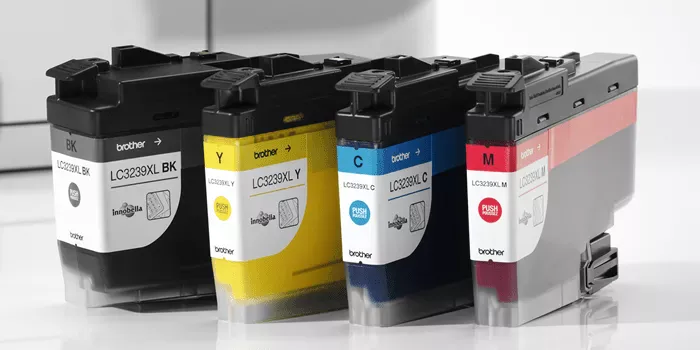
Did you know printer ink is one of the most expensive liquids on the planet – sometimes costing more per millilitre than vintage champagne? If you own a Brother inkjet printer and you’re replacing cartridges every few weeks, those costs add up fast. The good news is that smart buyers are slashing their printing bills without sacrificing quality. Here is exactly how to do it.
Understand Cost Per Page – Not Cartridge Price
Most people make the same mistake: they look at the sticker price of a cartridge and call it a day. That is the wrong metric. The number that actually matters is cost per page (CPP). To calculate it, divide the cartridge price by its rated page yield. A cartridge that costs $18 and yields 300 pages is far more expensive per page than one that costs $30 and yields 1,500 pages.
Brother printers are available in a wide range of models – from compact home units to high-volume MFC all-in-ones. Whichever model you use, always check the page yield listed on the packaging or product page before you buy. Standard-yield cartridges suit occasional users, but if you print regularly, high-yield cartridges are almost always the better financial decision. They reduce the frequency of replacements and bring your CPP down significantly over time.
OEM vs Compatible Cartridges – What You Need to Know
Original equipment manufacturer (OEM) cartridges come straight from Brother and are guaranteed to work with your printer. They deliver consistent print quality and protect your print head from damage caused by substandard ink formulations. If you print professional documents or photos where colour accuracy matters, OEM is the reliable choice.
Compatible cartridges, on the other hand, are manufactured by third parties to fit the same printer models. Quality varies between suppliers. The best compatible cartridges go through rigorous testing to match OEM page yields and print clarity; the worst can cause streaks, clog your print head, or trigger error messages. When shopping for Brother ink cartridges, make sure you buy from a reputable Australian supplier that offers a satisfaction guarantee and clearly lists compatibility by model number. This one step eliminates most of the risk associated with compatible cartridges.
For everyday printing – internal documents, school assignments, draft copies – compatible cartridges offer genuine savings. Reserve your OEM stock for high-stakes print jobs where quality is non-negotiable.
Simple Habits That Make Your Ink Last Longer
Switching cartridges is only half the equation. How you use your printer day-to-day has a direct impact on how far each cartridge goes.
Use Draft or Standard Mode for Everyday Jobs
Your printer’s default setting is often set to High Quality, which uses significantly more ink per page. Switch to Draft or Standard mode for internal documents and rough copies. The difference in output quality is barely noticeable for most everyday jobs; the difference in ink consumption is not.
Print in Grayscale When Colour Is Not Needed
Colour cartridges cost more than black cartridges and drain faster. Any time you are printing text-heavy documents, invoices, or reference pages, switch your printer preferences to Grayscale. This routes all output through your black cartridge only, preserving your colour ink for when it is genuinely needed.
Never Run Your Cartridge to Empty
Printing on an empty or near-empty cartridge draws air through the print head, which can cause permanent damage. Monitor your ink levels and replace cartridges before they run completely dry. Most Brother printers display an ink level indicator; check it regularly, especially before large print jobs.
Where to Buy and What to Look For
When sourcing replacement cartridges, prioritise suppliers that list compatibility by exact Brother model number, offer clear return policies, and hold local stock for fast delivery. For general guidance on which cartridges suit your specific printer model, Brother’s official printer support page is a reliable reference point for checking compatibility and understanding cartridge specifications before you buy.
Printing costs are not fixed. With the right cartridge choice, a few setting adjustments, and a reliable supplier, you can cut your annual ink spend substantially – without downgrading the quality of a single page.