JPEG is a popular image file format mainly known for its efficient compression and wide compatibility on multiple devices. However, sometimes you may encounter situations when these JPEG images get corrupted or become inaccessible. Having corrupt or damaged JPEG photos can be a distressful experience.
- What Causes Corruption of JPEG Files?
- DIY Methods to Repair Corrupt JPEG Files
- Method 01: Change Image File Format
- Method 02: Repair Corrupted JPEG Files with SFC scan
- Method 03: Use HEX Editor to Repair Corrupt JPEG Files
- Method 04: Use Image Repair Software
- Preventive Measures to Avoid JPEG Corruption
- Wrapping Up
JPEG files mainly get corrupted due to interrupted file transfer across different devices, software errors, virus or malware infection, or any other reason. Luckily, there are several JPEG file repair methods available online that you can try to repair those corrupted images. In this comprehensive guide, we will explore some best DIY methods to help you learn how to repair corrupted JPEG files easily.
What Causes Corruption of JPEG Files?
Before you proceed with methods to repair corrupted JPEG files, it is important to understand why such corruption occurred. There are many reasons why JPEG photos usually get corrupted, some of them are:
- Interrupted File Transfer: This can occur if the transfer is interrupted by a sudden power loss or disconnecting the device.
- Virus or Malware Infection: Malicious software, like viruses or malware, can also corrupt the JPEG files stored on your device.
- Software Errors: Issues with the software used to open or edit the JPEG files are also responsible for JPEG corruption.
- Bad Sectors on Storage Media: Physical damage to the storage media can cause corruption.
- Improper Ejection of Storage Devices: Removing storage devices without safely ejecting them can corrupt files.
DIY Methods to Repair Corrupt JPEG Files
In this part of the blog, we will discuss some commonly used DIY methods to repair corrupt or damaged JPEG files. So let’s get started!
Method 01: Change Image File Format
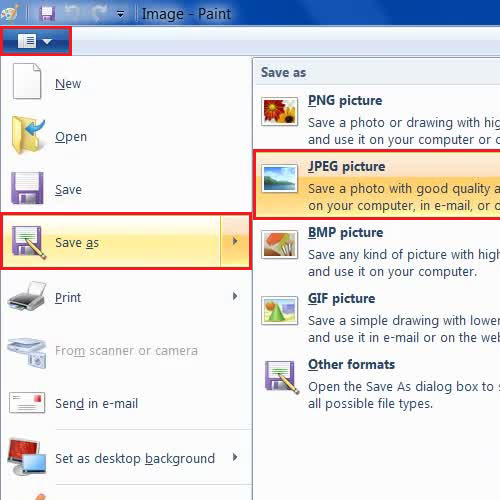
Sometimes, it is found that the problem is with your image file format. Your original format might not be supported with the in-built Paint or any other photo viewer application. In such cases, you can change the file format of your photo to make it compatible. Changing an image file format using Microsoft Paint is a quick and straightforward process. All you have to do is:
- Firstly, launch the Photos app on your device.
- Click on File, select Open and then go to the location where your corrupt photo is stored.
- Select that picture and click Open. Again, click on File > Save As.
- Choose the desired format from the list (e.g., PNG, JPEG, BMP, GIF) and enter the name of your file along with the destination folder.
- Lastly, click the Save button to save the changes.
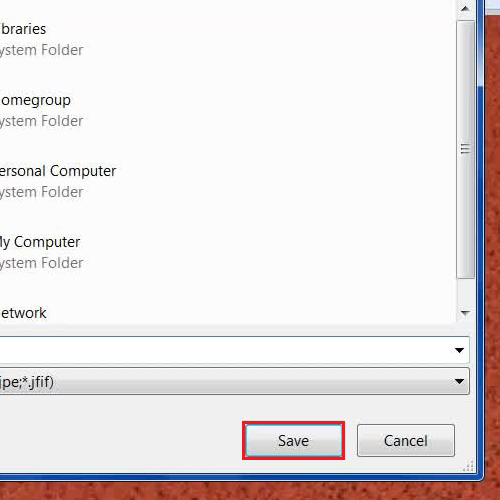
Once done, check if that photo is saved in the selected format and opening properly. If not, move to the next method.
Method 02: Repair Corrupted JPEG Files with SFC scan
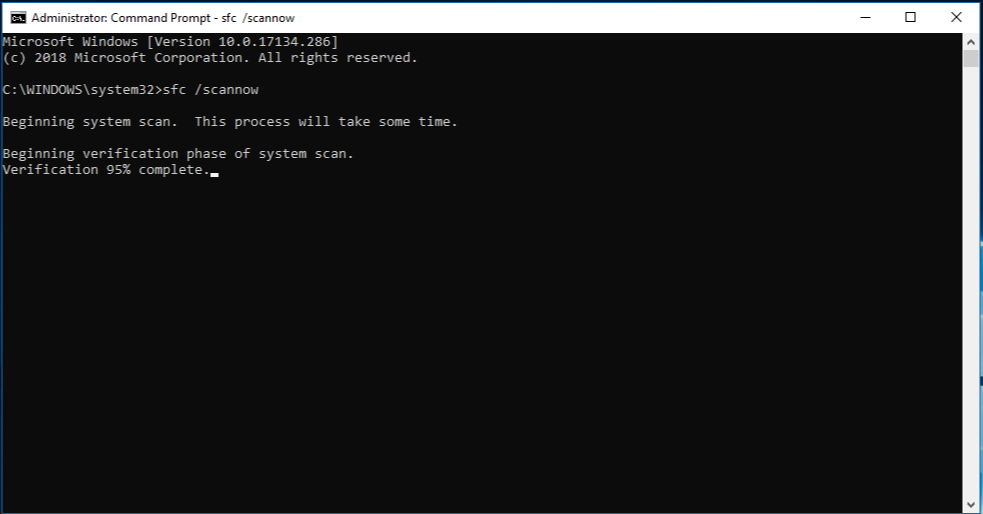
Running an SFC (System File Checker) scan can also help to repair corrupted JPEG files if the corruption is due to a problem within the system files of Windows. For this:
- Press the Windows + R keys to open the Run prompt and type CMD in it, press the Enter key to launch the Command Prompt.
- Now, type the command sfc /scannow in the Command Prompt window and press Enter.
- Wait till the scanning process is completed. After the scan is complete, check if your JPEG files are repaired.
Method 03: Use HEX Editor to Repair Corrupt JPEG Files
For advanced users, a Hex Editor can also be used to repair corrupted JPEG files manually. This method best works to repair your image files damaged due to a corrupted File header and involves editing the image’s binary data. Follow the below steps to repair corrupted JPEG files using Hex Editor:
- Launch the Hex Editor and open the corrupted JPEG file.
- Now, locate and fix errors in the binary data. Also, ensure the JPEG header is correct (starts with FFD8 and ends with FFD9).
- Once done, save the changes and check if the file opens correctly.
Method 04: Use Image Repair Software
Along with the above-mentioned manual JPEG repair workarounds, there are some third-party JPEG repair software available online that you can use to restore the original image file. Tools like Stellar Repair for Photo is an all-in-one photo repair software to repair corrupted JPEG files in a few simple clicks. Not only JPEG, you can use this professional software to repair images of several other formats, such as TIFF, ARF, SR2, NEF, DNG, RAW etc.
- The Stellar Repair for Photo software can repair your corrupt image files stored on any storage device, including HDDs, SSDs, SD cards, etc.
- It also supports repairing JPEG and other image files saved on Android or iPhones.
- The software is available in multiple versions, varying in price and features. Check and compare their features before using.
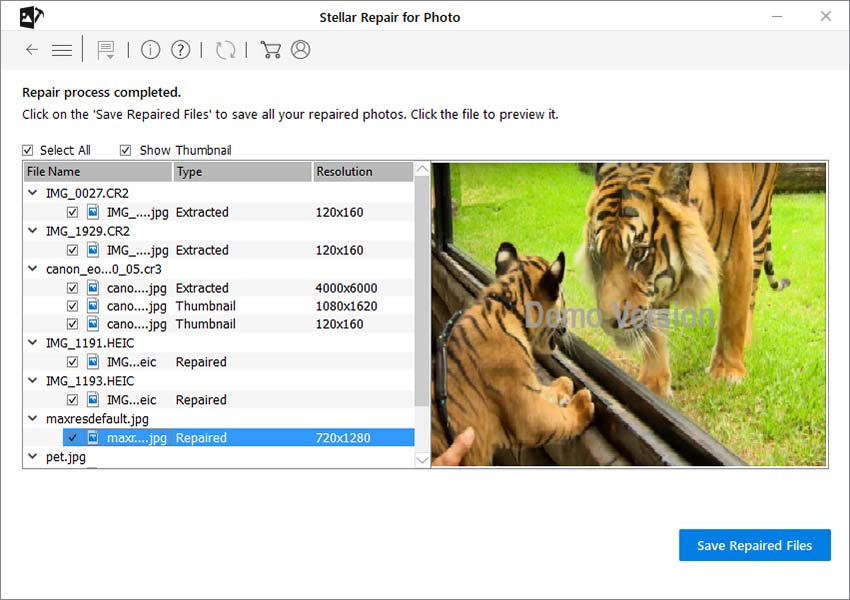
- After successful completion of the JPEG repair process, this tool allows you to preview the repaired photos.
Here’s how to repair corrupted JPEG files using the Stellar Repair for Photo tool:
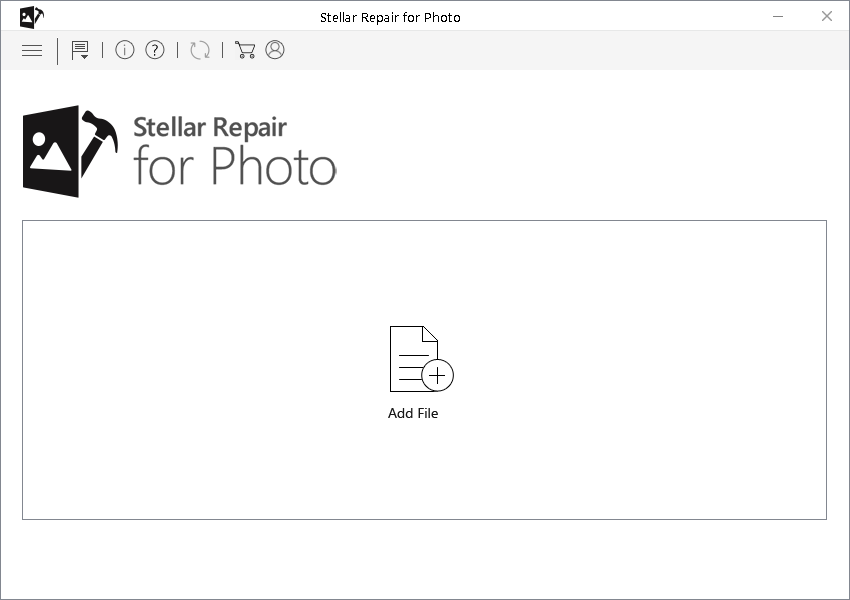
Step 1: Download and install the Stellar Repair for Photo tool on your device. Launch the software and from the homepage, click the Add File button to upload the corrupt JPEG photo that you need to repair.
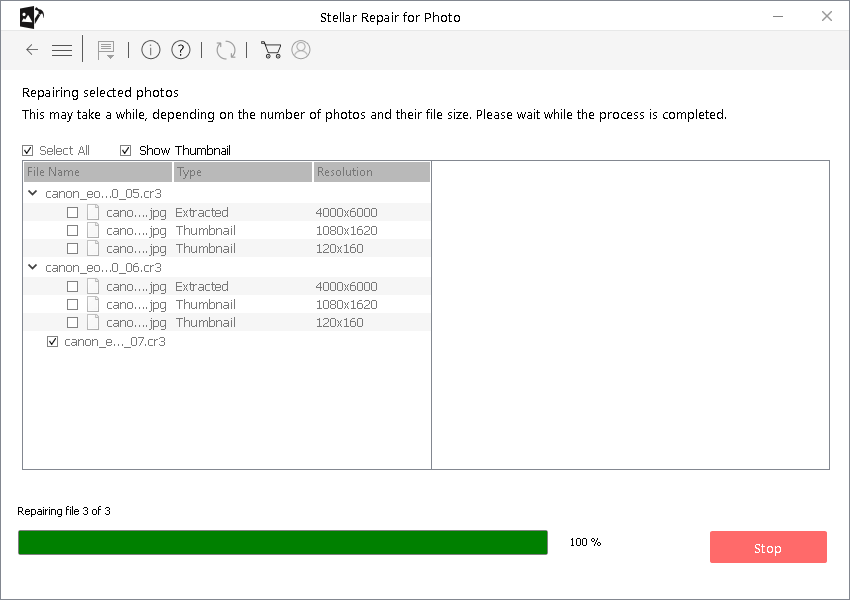
Step 2: Click the Repair button and wait till the repairing process is completed.
Step 3: Once it is done, preview the repaired photos and click the Save Repaired Files button to save selected photos at the desired location on your device.
Preventive Measures to Avoid JPEG Corruption
Though the above-mentioned JPEG repair methods are quite easy and simple, but it is important to avoid such instances in the future. To reduce the risk of JPEG file corruption, follow these preventive measures:
- Regular Backups: Regularly back up your photos to multiple locations, such as external drives and cloud storage.
- Use Reliable Storage Devices: Invest in high-quality storage devices and replace them if they show signs of wear and tear.
- Safely Eject Storage Devices: Always use the “Safely Remove Hardware” option before disconnecting storage devices.
- Update Antivirus Software: Keep your antivirus software updated to protect against malware and viruses.
- Use Reliable Software: Use reputable software to open, edit, and transfer JPEG files between devices.
Wrapping Up
Repairing corrupted JPEG files using the above-mentioned JPEG file repair methods and photo repair software can be an easy task. Whether you prefer using built-in Windows tools or third-party JPEG repair software like Stellar Repair for Photo, the key is to immediately apply these JPEG repair methods. Additionally, you can take preventive measures to avoid future corruption. By following this guide, you should be able to repair corrupted JPEG files and safeguard your images against future issues.