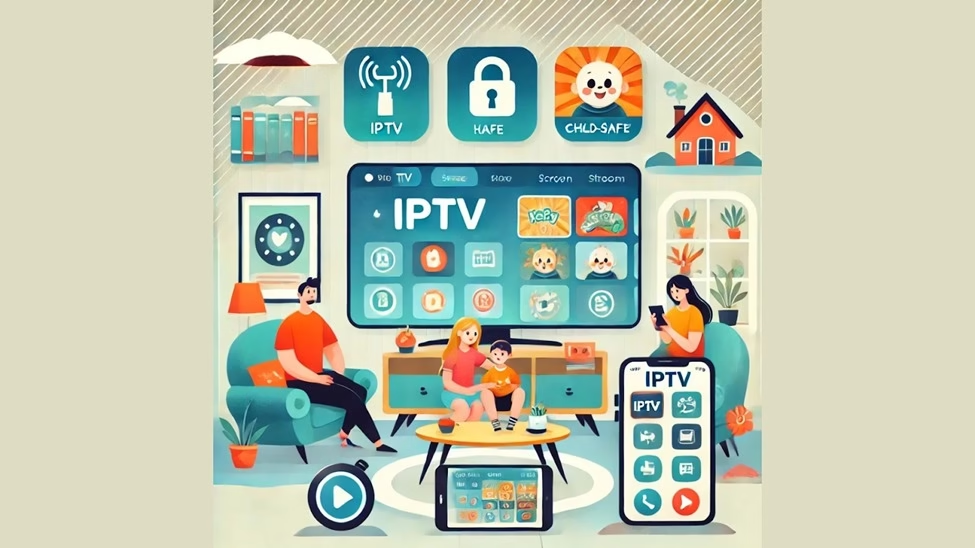
Family entertainment works best when everyone can watch what they like without turning the living room into a daily negotiation. IPTV can be a strong fit for families because it supports multi screen viewing, flexible device access, and content variety that spans kids, teens, parents, and grandparents. The key is choosing a plan that offers stable streams, simple navigation, and the right control options so children see age appropriate content while adults still get sports, news, and movies. Many households start with a reliable provider like Indian IPTV because it helps parents set up consistent profiles, organize channels, and manage multi device streaming without constant buffering or complicated hardware.
1. Why IPTV Works Well for Family Homes
Cable can feel restrictive, and OTT subscriptions can become expensive when you stack multiple apps. IPTV often sits in the middle by offering a large channel lineup, on demand libraries, and regional content under one subscription.
Family friendly advantages
- One service for kids content, entertainment, regional channels, sports, and news
- Works on Smart TVs, Firestick, tablets, and phones
- Easy favorites lists for each family member
- Potential for multiple simultaneous streams, depending on your plan
- Regional language support for multilingual households
2. Parental Controls. What to Look For
Not every IPTV app has strong parental controls, so your controls may come from the IPTV player rather than the provider. Before you subscribe long term, confirm how restrictions work on your chosen app.
Common parental control features
- PIN lock for adult categories so kids cannot open them
- Channel locking to block specific channels
- Category hiding to remove adult, horror, or mature content sections
- App level password so children cannot change settings
- Time limits via device settings (more common on tablets and phones)
Best practice
Use both layers. Lock categories in the IPTV app, then enable device level restrictions on the TV or tablet so kids cannot uninstall, sideload, or bypass settings.
3. Setting Up Profiles for Kids and Adults
Most IPTV player apps do not offer true “profiles” like Netflix, but you can still create a family friendly structure.
How to create a kids safe setup
- Create a favorites list called “Kids”
- Add only child safe channels to that list
- Hide or lock other categories with a PIN
- Set the IPTV app to open directly into the favorites list if your app supports it
- Keep one remote button shortcut to exit content quickly
For adults, create separate favorites lists like Sports, Movies, News, and Regional so channel switching stays fast.
4. Multi Screen Viewing. How Many Devices Can Stream at Once
For families, multi screen capability is one of the most important plan features. Some plans allow one stream at a time, while others allow two, three, or more simultaneous streams.
What to confirm before subscribing
- Number of simultaneous streams included
- Whether streams can run on different device types at the same time
- Whether you can add extra connections as a paid upgrade
- Any restrictions by location or IP address
Home bandwidth planning
- One 1080p stream often needs stable bandwidth around 8 to 12 Mbps
- Two to three streams can require 30 Mbps plus extra headroom
- For smooth viewing, prioritize Ethernet on the main TV and strong 5 GHz Wi Fi for tablets and phones
5. Best Devices for Family IPTV Setups
Different family members watch on different screens. A good household setup usually includes one primary streaming device and a few secondary devices.
Recommended family device mix
- Living room. Firestick or Android TV box for speed and consistent playback
- Bedrooms. Smart TV app if supported, or a small streaming stick
- Tablets. Great for kids, easy to control with screen time settings
- Phones. Good for travel or quick viewing, not ideal for long family sessions
If your Smart TV is older and slow, using an external device usually reduces crashes and improves navigation.
6. Kid Friendly Content. What to Prioritize
Kids content is not just cartoons. Families often need educational shows, safe entertainment, and age appropriate movies.
Content categories families look for
- Kids TV channels and cartoons
- Educational channels and learning programs
- Family movies and animated films
- Music channels with clean content
- Faith based or culture focused family programming, if relevant
The best experience comes from a channel list that is organized clearly, not just a large number of channels.
7. Language and Regional Content for Multigenerational Families
Many households include parents, children, and grandparents who prefer different languages. IPTV can be especially useful here because it often includes regional channels that OTT platforms do not prioritize.
If your family watches Telugu entertainment, movies, and news, a dedicated regional lineup like IPTV Telugu can make the experience smoother by keeping relevant channels grouped together and easy to find. This also reduces the need to jump between multiple apps, which is helpful for older family members.
8. Safety Tips Beyond Parental Controls
Parental locks are only part of a family safe setup. You also want stable apps, secure logins, and clean installation practices.
Family safety checklist
- Download IPTV apps only from trusted sources
- Avoid random APKs from unknown links
- Use a strong password for IPTV accounts if available
- Do not share login details widely outside your home
- Keep devices updated to reduce security issues
- Use a separate Wi Fi network for guests if your router supports it
If you use a VPN, remember it does not replace parental controls. It is mainly for privacy and network routing improvements.
9. Simple Family Setup Workflow
Use this workflow to set up IPTV once and keep it organized long term.
- Choose a plan with enough simultaneous streams for your household
- Install the IPTV app on your main TV device
- Add playlist and EPG details
- Create favorites lists. Kids, Sports, Movies, Regional
- Lock adult categories with a PIN
- Test playback at peak hours
- Add secondary devices and confirm streams work simultaneously
- Save settings and keep a backup of playlist details
Conclusion
IPTV can be one of the most practical entertainment options for families when it is set up correctly. The right plan supports multi screen viewing, a clean channel structure, and kid friendly content without constant buffering. Combine IPTV app locks with device level restrictions, create favorites lists for each family member, and confirm your plan includes enough simultaneous streams for your home. With a stable provider like Indian IPTV and a regional option like IPTV Telugu, families can enjoy flexible viewing that works for everyone in the house.