By using this site, you agree to the Privacy Policy and Terms of Use.
Accept
DGM NewsDGM News
  • Home
  • About dgmnews.com
  • Contact
  • Disclaimer
  • Privacy Policy
  • American Hartford Gold Review
  • Contribute
Reading: Understanding the 504 Error: What It Means and How to Fix It
Share
Notification Show More
Font ResizerAa
Font ResizerAa
DGM NewsDGM News
  • Home
  • About dgmnews.com
  • Contact
  • Disclaimer
  • Privacy Policy
  • American Hartford Gold Review
  • Contribute
  • Home
  • About dgmnews.com
  • Contact
  • Disclaimer
  • Privacy Policy
  • American Hartford Gold Review
  • Contribute
Follow US
  • Advertise
Home » Blog » Understanding the 504 Error: What It Means and How to Fix It
Blog

Understanding the 504 Error: What It Means and How to Fix It

Abdul Raheem
Last updated: February 2, 2026 6:26 am
By Abdul Raheem
7 Min Read
Share
SHARE

In the world of the internet, errors are inevitable. While browsing your favorite websites or working on online projects, you’ve likely encountered a few error codes. Among these, the “504 error” is a particularly common one that can disrupt your online experience. But what exactly does this error mean and how can you fix it? In this article, we’ll explore everything you need to know about the 504 error, its causes and practical solutions.

Contents
  • What Is a 504 Error?
  • What Causes a 504 Error?
  • How to Fix a 504 Error
    • For Website Visitors:
    • For Website Administrators:
  • Preventing Future 504 Errors
  • Final Thoughts

What Is a 504 Error?

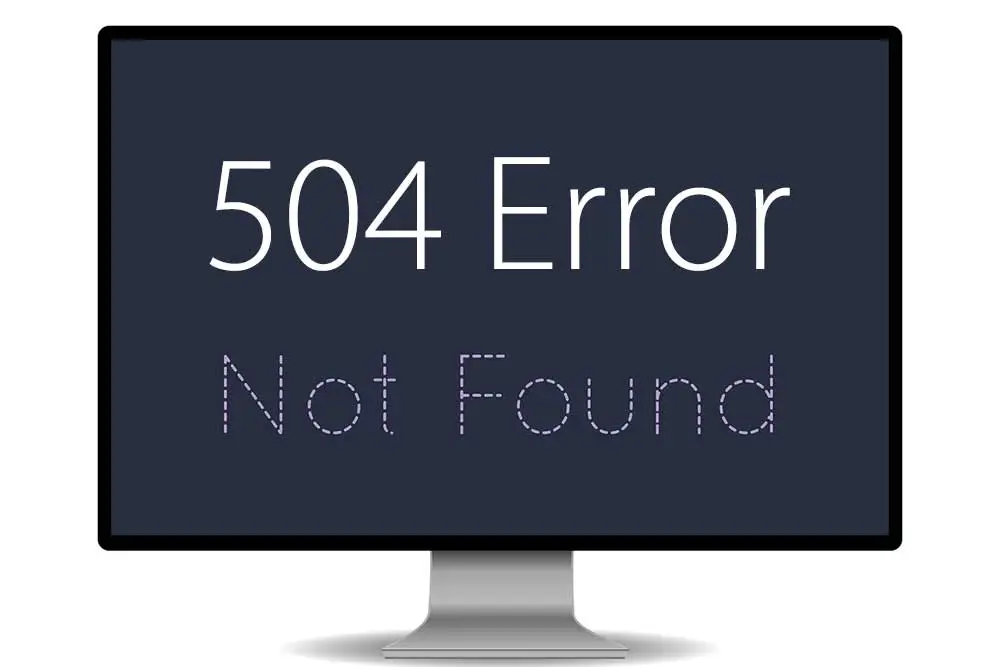
The 504 error, also known as the HTTP 504 Gateway Timeout Error, occurs when a server fails to receive a timely response from an upstream server while attempting to fulfill a request. Essentially, it’s a communication breakdown between servers.

Imagine you’re at a restaurant and place an order with a waiter. The waiter passes your order to the kitchen, but the kitchen takes too long to respond. Eventually, the waiter informs you that your order couldn’t be completed on time. This scenario mirrors the 504 error in web servers.

The error is typically displayed in various formats depending on the website or server. Common messages include:

  • “504 Gateway Timeout”
  • “HTTP Error 504”
  • “Gateway Timeout Error”
  • “This website is currently unreachable due to a 504 error.”

What Causes a 504 Error?

Several factors can lead to a 504 error. Let’s break down the most common causes:

  1. Server Overload
    When a server receives too many requests simultaneously, it may become overwhelmed and unable to process them in a timely manner. This often happens during peak traffic times or when a website experiences an unexpected surge in visitors.
  2. DNS Issues
    A problem with the Domain Name System (DNS) can prevent servers from connecting to one another. If the DNS server fails to resolve the domain name correctly, it may result in a 504 error.
  3. Firewall or Security Settings
    Strict firewall or security rules can block communication between servers. If a firewall mistakenly identifies incoming requests as malicious, it may disrupt the connection, triggering a 504 error.
  4. Server Maintenance or Downtime
    When an upstream server is undergoing maintenance or experiencing technical issues, it may not respond promptly, causing a gateway timeout error.
  5. Network Connectivity Problems
    Poor internet connectivity or issues with the hosting provider’s network can interrupt communication between servers.

How to Fix a 504 Error

Now that you understand the potential causes of a 504 error, let’s dive into the steps you can take to resolve it.

For Website Visitors:

  1. Refresh the Page
    Sometimes, a 504 error is temporary. Simply refreshing the page by clicking the reload button or pressing F5 on your keyboard can solve the issue.
  2. Check Your Internet Connection
    A weak or unstable internet connection can cause communication delays. Ensure your connection is stable and try accessing the website again.
  3. Use a Different Browser
    If the error persists, switch to another browser to rule out compatibility issues.
  4. Clear Your Cache and Cookies
    Cached files or corrupted cookies may interfere with loading the website. Clearing your browser’s cache and cookies can help resolve the error.
  5. Wait and Try Again Later
    If the issue is with the website’s server, the best option might be to wait and try accessing the site after some time.

For Website Administrators:

  1. Check Server Logs
    Server logs can provide valuable insights into what caused the 504 error. Look for patterns or anomalies that indicate the source of the problem.
  2. Restart Servers
    Restarting your servers can resolve temporary glitches or overloaded processes causing the gateway timeout error.
  3. Examine DNS Settings
    Verify that your DNS settings are configured correctly and that your DNS server is functioning properly. Updating or flushing the DNS cache may also help.
  4. Adjust Firewall Rules
    Review your firewall and security settings to ensure legitimate server-to-server communication is not being blocked.
  5. Optimize Server Performance
    If server overload is the root cause, consider upgrading your hosting plan, optimizing code or implementing caching solutions to reduce server strain.
  6. Contact Your Hosting Provider
    If you’ve tried all the above steps and the error persists, reach out to your hosting provider for assistance. They may be able to identify and resolve the issue on their end.

Preventing Future 504 Errors

While it’s impossible to eliminate errors entirely, there are steps you can take to minimize the likelihood of encountering a 504 error:

  • Upgrade Your Hosting Plan: Ensure your server can handle traffic surges.
  • Implement Load Balancing: Distribute incoming traffic across multiple servers to reduce strain.
  • Monitor Server Performance: Use tools to track server health and address issues proactively.
  • Maintain DNS Health: Regularly update and monitor your DNS settings.

Final Thoughts

Encountering a 504 error can be frustrating, whether you’re a website visitor or administrator. However, understanding its causes and solutions can help you address the issue effectively. For visitors, simple steps like refreshing the page or checking your internet connection can often resolve the problem. For website owners, diagnosing and optimizing server performance is key to preventing future errors.

The next time you see a “504 error” message, you’ll know exactly what to do and more importantly, how to get back to browsing or managing your site without stress.


Comprehensive Guide to Executive Protection Services for High-Profile Clients
Foundation Repair In Pineville: Early Signs Of Structural Damage
Building the Ultimate Craft Shed
The Unique Challenges of Cement Siding Repair in Charleston’s Coastal Climate
Why Classic Games Still Dominate the Digital Space
TAGGED:504 Error
Share This Article
Facebook Email Print
ByAbdul Raheem
three-year veteran with a wealth of outreach and SEO knowledge in the realm of search engine optimization. He increased their web visibility, which benefited several businesses and organizations. His areas of expertise include news, technology, fashion, finance, business, marketing, and lifestyle. Working with businesses and organizations to use his knowledge to help them become successful online excites him.
Previous Article Deciding Whether Outpatient or Inpatient Addiction Recovery Care Is Best for You Deciding Whether Outpatient or Inpatient Addiction Recovery Care Is Best for You
Next Article Best Personalized Family Ornaments 2026: What Actually Works Best Personalized Family Ornaments 2026: What Actually Works

Stay Connected

PinterestPin
InstagramFollow
TelegramFollow
TumblrFollow
Advertisement
EMAIL US contactdgmnews@gmail.com

Latest News

AI Video Tools
How AI Video Tools Help Small Teams Turn Ideas Into Short Videos
Technology
How to Choose the Right Subwoofer Size: 8" vs 10" vs 12" vs 15"
How to Choose the Right Subwoofer Size: 8″ vs 10″ vs 12″ vs 15″
Technology
Single-Piston Compression and Vacuum Tech
Single-Piston Compression and Vacuum Tech: Key Features
Technology
Studiobricks vs. Competitors
Studiobricks vs. Competitors: The Best Soundproof Booths for Ultimate Acoustics
Technology
//

We influence 20 million users and is the number one business and technology news network on the planet

Advertisement

Support

  • Home
  • About dgmnews.com
  • Contact
  • Disclaimer
  • Privacy Policy
  • American Hartford Gold Review
  • Contribute
Advertisement
Copyright 2026 — Dgmnews.com. All rights reserved. - bj88 - nhà cái uy tín - hi88 - 789win - https://thienhabet.vegas/ - fv88- 88CLB - 88CLB - 8KBET - vlxx - Bet88 - Bet88 - hi88com - King88 - hitclub - https://bj88n.net/ - https://58win.living/- https://ok365vn.dev/- 555win - 99WIN - 78Win - 8KBET - 8kbet - ABCVIP - 8kbet - Hubet - 32win - ww88 - bong88 - https://j88.toys/ - Gk88 - 8kbet - 88vv - Costplus Drug - nổ hũ đổi thưởng - 555win - bắn cá đổi thưởng - xo88 - sunwin- sunwin - sunwin - https://sv388moinhat.com - https://okwinn.vip - hi88 - 8kbet - 8kbet - NOHU90 - tỷ lệ nhà cái - tài xỉu online - QQ88 - ok9 - nohu - https://xx88.xyz/ - MM88 - s666 - sunwin - GO99 - 79KING - SODO66 - https://1hitclub.com/ - King88 - SHBET - http://new8838.net - https://88aa.shop/ - XX88 - 8day - nohu - GO88 - sunwin - https://c168.shop/ - https://f8bet.io/ - situs toto - SODO66 - tài xỉu - u888 - abc8 - au88 - KJC - J88 - qq88 - NEW88 - https://abcvip.sh/ - https://good88best.cam/ - Tải go88 - https://xx88.se.net/ - hitclub - ww88 - https://gg88.shop/ - 777G - Fun88 Thai - pg88.study - WW88 - https://hcmfo3club.net/ - https://researchandmmarket.com/ - X88 - NOHULIVE - TR88 - http://sv388group.com/ - FB88 - 89BET - https://8kbet.party/ - Topway - go88 - TR88 - SODO - OK9 - OKFUN - SODO66 - SODO66 - MM88 - crickex - 9ph - 23win - https://hb88a.pro/ - 86bet - 8kbet - OPEN88.COM - OK9 COM - https://bags168.com/ - https://79king79.biz/ - https://bong88a.vip/ - https://go8.monster/ - 88aa - SC88 - XX88- MM88- KJC - go88 - https://fo88.in.net/ - https://lodeonline.io/ - 789WIN - HM88 - xổ số 66 - LUCK8 - https://xx88.boston/ - LLWIN - UY88 - Link Sunwin - https://kjc88.io/ - https://kjc.bike/ - https://kjc.bike/ - Socolive - bl555 - https://www.8kbet01.com/ - luongsontv - 123ga - 8kbet - zo88 - 33win - 8KBET - sc88 - https://789bethv.com/ - https://78wintx.com/ - GO99 - kubet - hello88 - 789win - 555win - https://8kbet.best/ - https://8kbeta.org/ - TT88 - Nohu90 - https://s666.today/ - new88 - 78win - https://78win.jpn.com/ - 78win - Tg88 - GO99 - kubet - hello88 - 789win - 555win - https://8kbet.best/ - https://8kbeta.org/ - https://s666.today/ - TT88 - Nohu90 - Lixi88 - 789win - ok8386 - https://fly88.co.com/ - go88 - Fun88 Thai - gemwin - GO99 - hit club - sx88 - kp88 - ea88 - ALO8 - hit club - go88 - hitclub - FUN88 - https://gamebaidoithuong.is/ - xoso66 - https://86bet.shop/ - 86bet - https://dacsanhuengon.com - TT88 - Nohu90 - Nohu90 - FLY88 - https://78wincom.net/ - 78win - f168 - F168 - fly88 - Socolive - ok8386.com - Go8 - Jun88 - https://shbet.group/ - MB66 - lô đề online - SHBET - Trang Chủ ok8386 - cm88 - xoso66 - Jun88 - MB66 - 78win - Fun88 World Cup - B52 - XX88 - xổ số 66 - luck8 - 789club - luck8 - Luck8 - TT88 - RR88 - 79king - https://tg88.stream/ - GO88 - tài xỉu - 8kbet
Welcome Back!

Sign in to your account

Username or Email Address
Password

Lost your password?