Every growing company hits the same wall. Spreadsheets that once tracked everything start breaking. Emails become the default project management system. Someone builds a quick fix in Google Sheets, and suddenly the entire team depends on a file that one person understands.
Internal tools fail not because companies lack ambition. They fail because the gap between “we need a system” and “we have a working system” is wider than most leaders expect. Understanding why that gap exists is the first step toward closing it.
The Spreadsheet Trap
Most internal tools start as spreadsheets. A sales manager builds a tracker. An operations lead creates a scheduling sheet. A warehouse supervisor maintains an inventory log in Google Sheets with color-coded rows.
These solutions work brilliantly for one person. They work reasonably well for a small team. But they collapse under the weight of real business operations.
- Version control disappears when multiple people edit the same file. Someone overwrites a formula. Someone else deletes a row without realizing it held a lookup reference. The “single source of truth” becomes three conflicting versions saved to different desktops.
- Data integrity erodes because spreadsheets have no validation rules by default. A text field accepts numbers. A date field accepts names. One mistyped entry cascades through every formula that references that cell.
- Reporting becomes manual because pulling insights from a spreadsheet means building pivot tables, writing VLOOKUP formulas, and copying data into presentation decks. By the time the report is ready, the underlying data has already changed.
- Security is nonexistent in most shared spreadsheets. Everyone with the link can see everything. There is no way to restrict a field worker to seeing only their assignments or to prevent a junior employee from editing historical records.
The spreadsheet trap is not a technology problem. It is a scaling problem. What works for five people cannot work for fifty.
Why Custom Software Projects Stall
When spreadsheets break, the natural instinct is to build custom software. Hire a developer. Scope a project. Build exactly what the business needs.
This sounds logical. In practice, it rarely plays out that way.
- Scoping takes months because translating business workflows into software requirements is genuinely difficult. Operations teams think in terms of processes and exceptions. Developers think in terms of data models and API endpoints. The translation between these two worlds is where most projects lose time and money.
- Development timelines expand because every “simple” feature hides complexity. A basic approval workflow needs user roles, notification logic, audit trails, and edge case handling. What looked like a two-week feature becomes a two-month project.
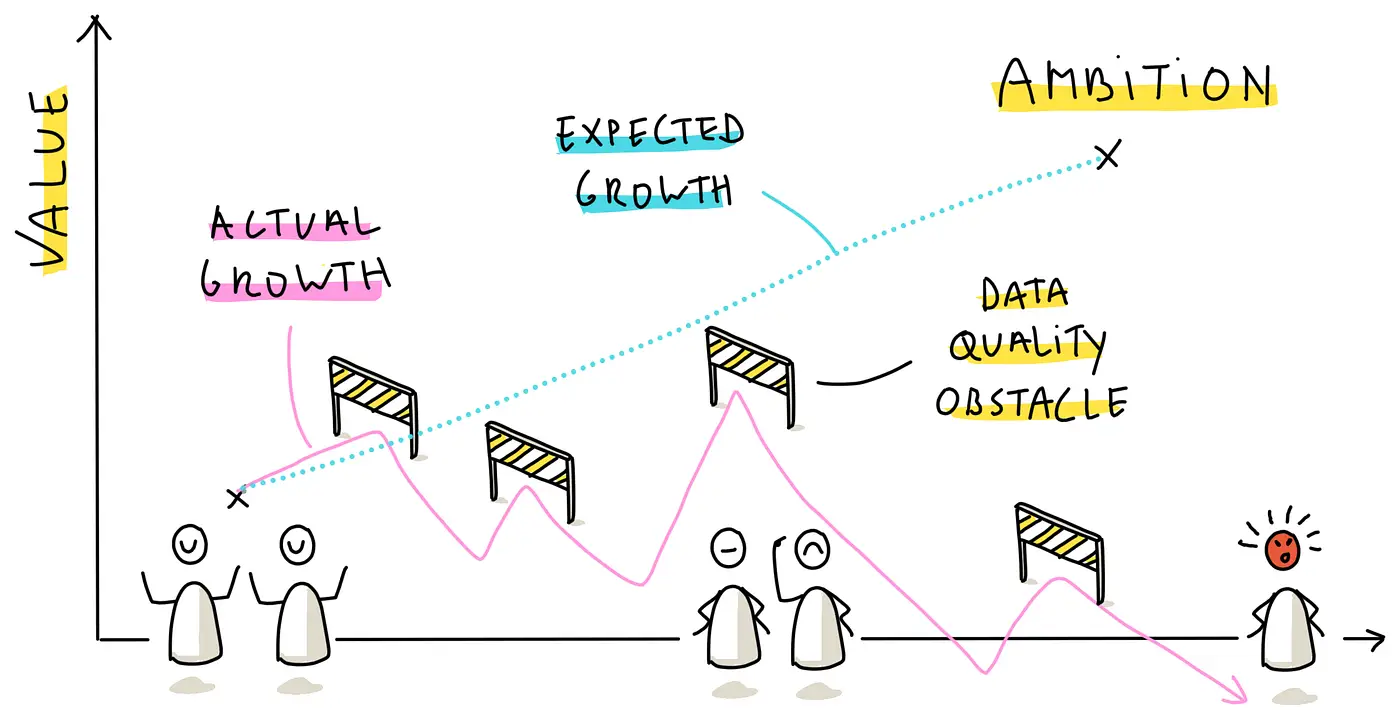
- Budgets balloon past initial estimates. A project scoped at $50,000 reaches $120,000 before launch because the requirements kept evolving. Not because anyone did anything wrong, but because the business kept learning what it actually needed.
- Maintenance becomes a second job. Custom software requires hosting, security patches, bug fixes, and feature updates. The developer who built it moves on to other projects. The company is left with a codebase nobody fully understands.
Companies that spend six figures on custom software often end up with tools their teams resist using. Not because the software is bad, but because it was built based on a snapshot of the business that no longer reflects reality by the time the project ships.
The No-Code Middle Ground
The last five years have opened a different path. No-code and low-code platforms let businesses build real applications without writing traditional software from scratch.
Platforms like Glide, for example, allow teams to create fully functional internal tools that connect to existing data sources, enforce business logic, and provide mobile-friendly interfaces. The development cycle shrinks from months to weeks. The cost drops from six figures to a fraction of that.
But the platform alone does not solve the problem. The most common mistake companies make with no-code tools is treating them like a DIY project.
- Business owners underestimate the complexity of their own workflows. What feels straightforward in daily practice involves dozens of conditional rules, exceptions, and dependencies that need to be modeled explicitly in an application.
- Integrations require experience. Connecting a no-code app to an existing CRM, ERP, or database involves API configuration, authentication protocols, and data mapping. These are not beginner tasks.
- Scalability needs planning from day one. An app built for ten users needs a fundamentally different architecture than one built for five hundred users. Data structures, user roles, and performance optimization all change at scale.
This is where working with a specialized agency makes a meaningful difference. A team like Glide App Agency brings deep platform expertise combined with real business operations knowledge. Their team has delivered over 350 apps for companies ranging from startups to Fortune 500 enterprises, which means they have already solved most of the problems a new project will encounter.
What Successful Companies Do Differently
Companies that get internal tools right share a few common patterns.
- They start with one workflow, not the whole business. Instead of trying to digitize everything at once, they pick the most painful process and solve it completely. A field service scheduling tool. An inventory tracker. A client onboarding portal. One focused application that delivers measurable results before expanding.
- They involve end users from the beginning. The people who will use the tool daily should shape how it works. Not through lengthy requirements documents, but through iterative prototyping where they see a working version within days and provide feedback that gets incorporated immediately.
- They choose platforms that allow iteration. Business needs change. Markets shift. Regulations evolve. The tool needs to change with them. Platforms that allow rapid modification without rewriting code give businesses the flexibility to adapt without starting over.
- They invest in expertise rather than guessing. Building an internal tool is not the same as building a presentation. The architectural decisions made in the first week determine whether the application will scale or collapse under growth. Bringing in experienced builders from the start saves more money than it costs.
The Real Cost of Getting It Wrong
Failed internal tools carry costs beyond the obvious wasted budget.
Team morale drops when people are forced to use broken systems. Employees develop workarounds that create data silos. Management loses visibility into operations because the reporting depends on manual data entry that nobody trusts.
The hidden cost is opportunity. Every month spent struggling with inadequate tools is a month where the business could have been operating more efficiently, making better decisions, and serving customers faster.
A company that spends three months trying to build an internal tool in-house, fails, and then spends another three months finding and onboarding a developer has lost half a year. A company that partners with a specialized agency from the start often has a working application in weeks.
The Expertise Gap Nobody Talks About
There is one more reason internal tools fail that rarely gets discussed. Most businesses underestimate how much operational knowledge is required to build a good tool.
A developer can build a database. They can create forms, connect APIs, and deploy an application. But they cannot design workflows for an industry they do not understand. They do not know that field service companies need offline functionality. They do not know that real estate brokerages need confidential listing visibility controls. They do not know that multi-location restaurants need portion-controlled recipe management synced across every venue.
This gap between technical ability and operational understanding is where most projects stall. The developer builds what was described in the requirements document. The operations team realizes the requirements document missed half the actual workflow. Revisions follow. Timelines extend. Budgets evaporate.
The most effective way to close this gap is to work with a team that already understands your operational context. When your builder has solved similar problems for similar companies, the requirements conversation starts at a higher level. Instead of explaining what a work order is, you are discussing which approval logic works best for your team size. Instead of defining basic inventory concepts, you are deciding between perpetual counting and cycle counting strategies.
That difference in starting point compounds throughout the project. Every week saved in the requirements phase is a week gained in development. Every misunderstanding avoided is a revision that never happens. Every edge case anticipated from experience is a bug that never reaches production.
Moving Forward
If your company is currently stuck in the spreadsheet trap or recovering from a failed software project, the path forward does not require starting over from scratch.
Identify your most critical workflow. The one that causes the most friction, consumes the most time, or carries the most risk when it breaks. That is your starting point.
Look for a solution that can be built quickly, modified easily, and scaled as needed. And consider whether the time and risk of figuring it out internally outweigh the cost of bringing in a team that has done it hundreds of times before.
The companies that move fastest are not the ones with the biggest budgets. They are the ones that make the right build-versus-buy decision early and commit to it fully.