I’ve been generating images with AI tools since the early DALL-E 2 days, and I’ll say something that might sound dramatic: GPT Image 2 is the first model that actually understands what I’m asking for, instead of guessing.
That sounds like marketing copy. It isn’t. After spending the last few weeks running the same prompts through Midjourney, Stable Diffusion XL, Gemini’s Imagen, and GPT Image 2, the gap in one specific area is wide enough that I think it changes how creative teams should think about their image workflow.
That area is text rendering. And it matters more than people realize.
The text problem nobody could solve
If you’ve ever tried to generate a poster, a product mockup, a meme, or a UI screenshot using AI, you know the pain. You ask for “a coffee shop sign that says Morning Brew” and you get back a beautiful illustration with the words “Mornnig Bewr” or “Moring Bru” or some Lovecraftian alphabet that looks like English filtered through a fever dream.
For two years this was just accepted as a limitation. Diffusion models, the architecture behind most image generators, treat text as visual texture rather than as language. They don’t know that letters spell words. They paint shapes that look like letters.
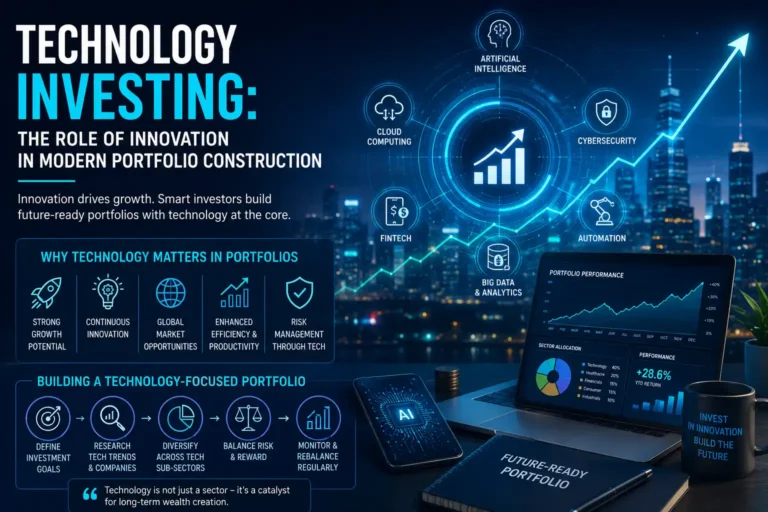
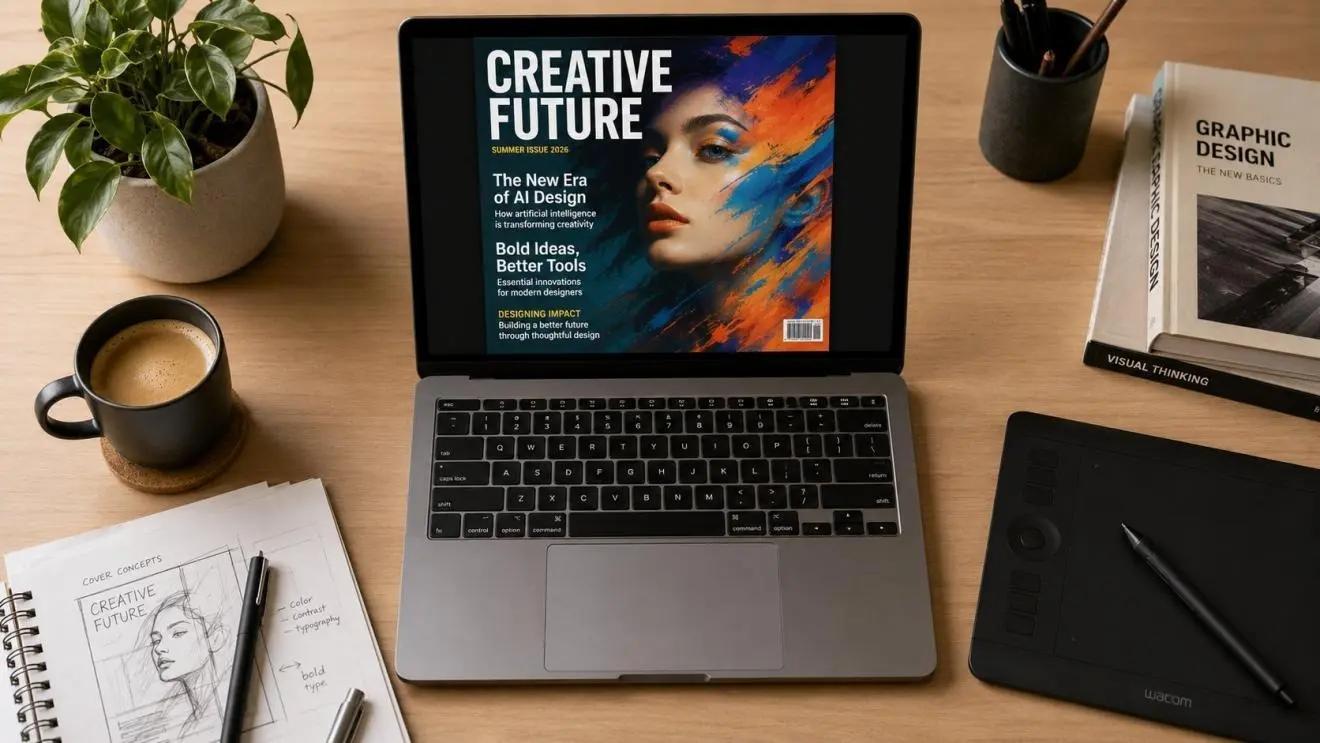
GPT Image 2 takes a different approach. Because it’s built on top of OpenAI’s multimodal reasoning stack (the same lineage as the model running ChatGPT), it actually processes the text you want to render as text first, then composes the image around it. The result is that you can ask for a magazine cover with a five-word headline and a subtitle and a price tag and it will get all of them right on the first try.
I tested this with a real use case. I needed a mock-up of a startup landing page for a pitch deck. Old workflow: generate a background in Midjourney, take it into Figma, manually add text, export. Maybe 25 minutes if I was being careful. New workflow with GPT Image 2: one prompt, one image, done. Maybe 90 seconds including iteration.
Where it sits versus the alternatives
I want to be fair here, because Midjourney and Gemini are not slouches.
Midjourney v7 still produces the most aesthetically striking outputs for pure illustration. If you want a moody fantasy landscape or a hyper-stylized portrait, it remains the king. Its sense of color and composition feels almost painterly.
Google’s Gemini, which you can try at gemini.google.com, is fast and integrates well into the broader Google Workspace ecosystem. For someone already living in Docs and Slides, the friction is low.
Stable Diffusion derivatives win on cost and customization, especially if you can host them yourself or use them through a fine-tuned LoRA.
GPT Image 2 doesn’t try to win those battles. Where it wins is on instruction following. You can give it a paragraph-long prompt with multiple constraints (object placement, color palette, text content, art style, lighting direction) and it will hold all of them in its head and produce something that respects every constraint. That kind of compositional control is what creative directors and product designers actually need.
The use cases that suddenly become viable
Once text rendering and instruction following work, a whole category of creative work shifts.
E-commerce product mockups stop needing a photographer for early-stage iterations. You can generate the packaging, the lifestyle shot, and the social ad creative from one prompt set, then commission real photography only for the winning concept.
Indie game developers can produce concept art with consistent typography across UI elements. Before, the text in any AI-generated UI mockup had to be redone in Photoshop. Now it ships as-is for prototypes.
Educational content creators can generate diagrams with accurate labels. This sounds boring but is genuinely transformative for anyone making explainer videos or course materials. A biology teacher can prompt for a labeled cell diagram and actually get one with “mitochondria” spelled correctly.
Marketing teams can spin up A/B test creative in minutes instead of days. The bottleneck used to be designer time. Now the bottleneck is just deciding what to test.
What it still can’t do
I want to be honest about the limits, because every AI tool article online is breathless cheerleading and that’s not useful.
GPT Image 2 still struggles with hands and complex anatomy under certain poses. It still occasionally produces text that’s almost right but has one letter off, especially with longer phrases. It has the same brand and logo restrictions that all major models have, so you can’t ask it to render copyrighted characters or trademarked logos. And for raw artistic style, a Midjourney user with a finely tuned style reference will probably still produce something more visually arresting.
It’s also not the cheapest option per generation. If you’re producing thousands of images a day, the math gets uncomfortable. For most creative teams generating tens to low-hundreds of images, the time saved on rework dwarfs the per-image cost.
A practical recommendation
If you’re a solo creator or a small team, here’s what I’d do this month: pick the three image-related tasks in your workflow that take the most manual cleanup time. For each one, run the same prompt through GPT Image 2 and your current tool. Time the entire workflow including any cleanup or revisions.
In my experience, two out of three tasks will move to GPT Image 2 immediately. The third will probably stay where it is, usually because the existing tool has some specific stylistic strength.
That’s the honest answer. Not “this changes everything” and not “it’s overhyped.” Just: a real tool with a real specific advantage that solves a problem creatives have been working around for two years.
The text rendering thing alone has saved me probably six hours a week. That’s the kind of number that justifies switching tools, even if the rest of the model were merely competitive (which it is, mostly).
Try it on your own workflow before you decide. The difference shows up in the first ten minutes if it’s going to show up at all.
About the Author
Ethan is an independent founder building a portfolio of AI creative tools for international markets. He writes about practical AI workflows and the operational reality of running small SaaS products.