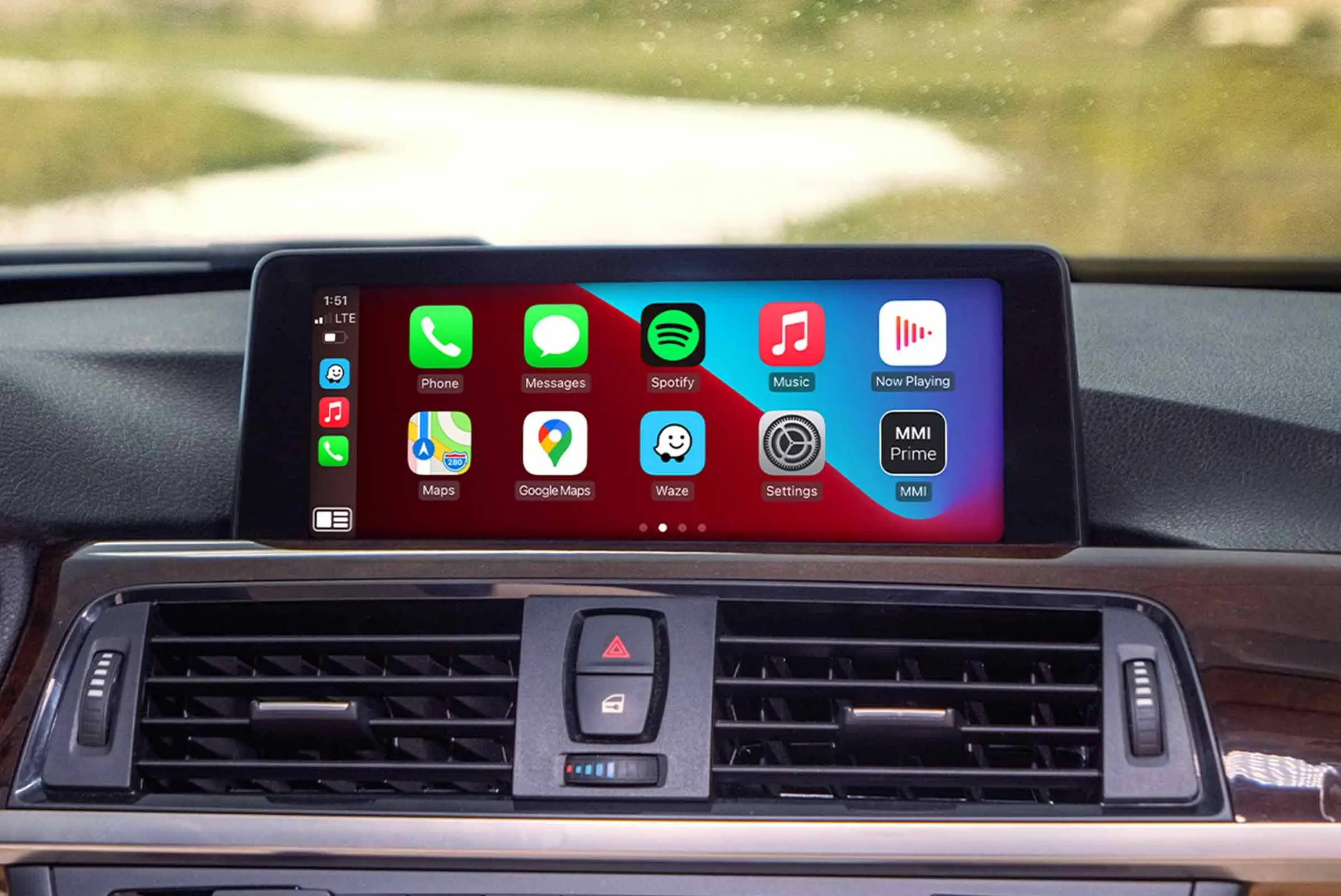
Apple CarPlay blocks video by default for safety reasons. However, with a compatible plug-and-play video adapter, you can safely stream YouTube or Netflix while parked — without jailbreaking your phone. Ottocast solutions offer the most reliable approach .
Why Apple CarPlay Blocks Video Playback
Apple designed CarPlay with one priority: driver safety. The system intentionally limits functionality to essential tasks such as:
· Navigation
· Phone calls
· Messaging
· Audio streaming
Video apps like YouTube, Netflix, and local media players are not supported natively. This restriction exists to reduce visual distraction and comply with road safety standards worldwide.
From a regulatory standpoint, this makes sense. Visual content in the driver’s line of sight while a vehicle is moving increases accident risk. Apple’s controlled ecosystem reflects this safety-first philosophy.
However, the reality is more nuanced.Drivers often want video access when:
· Waiting during EV charging sessions
· Parked at rest stops
· On long road trips with passengers
· Taking lunch breaks in their vehicle
CarPlay blocks video while driving — but that does not mean video playback is technically impossible. It simply requires the correct method.
When In-Car Video Playback Is Practical and Responsible
Before discussing solutions, it’s important to clarify appropriate use.
In-car video features should only be used:
· When the vehicle is fully parked
· For passenger entertainment
· During charging stops or travel breaks
When used responsibly, in-car streaming can enhance comfort during downtime without compromising safety.
Can You Watch YouTube or Netflix on CarPlay?
Officially?
No ,CarPlay does not allow direct installation of video streaming apps.
Practically? with external hardware. Modern CarPlay video adapters function as independent media systems that integrate into your car’s display through the USB CarPlay port. They do not modify your phone, and they do not require jailbreaking. Instead, they add a media layer on top of your existing CarPlay environment.This distinction is important. You are not “unlocking” CarPlay — you are adding compatible hardware that expands functionality when appropriate.
The Three Practical Ways to Play Video on CarPlay
1. Dedicated CarPlay Video Adapters (Best Overall Solution)
2. Screen Mirroring (Limited Stability)
3. System Modifications (Not Recommended)
For reliability, legality, and long-term usability, professional evaluation strongly favors the first option.
Why Dedicated Video Adapters Are the Superior Approach
From a professional standpoint, dedicated adapters outperform other methods for several reasons:
1. No Jailbreaking Required
Jailbreaking compromises device security, voids warranties, and creates software instability. Modern video adapters eliminate this entirely.
2. Independent Processing
The adapter handles video rendering internally. This ensures:
· Smooth playback
· Reduced lag
· Stable performance
· Minimal system interference
3. Plug-and-Play Installation
No software tweaks. No coding. No technical complexity.
Once installed, most adapters reconnect automatically each time the vehicle starts.
4. Full CarPlay Functionality Remains
Navigation, calls, Siri, and music continue working as usual. Video becomes available when the vehicle is stationary.
Why Ottocast Video Adapters Stand Out in 2026
Among available options, Ottocast has positioned itself as a performance-focused brand in the CarPlay adapter market.
Ottocast video solutions offer:
· Fast startup times
· Stable wireless connectivity
· Broad app compatibility
· OTA firmware updates
· Clean plug-and-play installation
Unlike unstable mirroring solutions, Ottocast adapters are built specifically for CarPlay systems, ensuring better long-term compatibility and reduced connection dropouts.
For users seeking a professional-grade experience rather than experimental workarounds, this makes a measurable difference.
Video Playback Methods Comparison
| Method | Stability | Setup Complexity | Requires Phone Modification | Best For |
| Dedicated CarPlay Video Adapter | Excellent | Very Easy | No | Daily use & reliability |
| Screen Mirroring | Moderate | Medium | No | Occasional use |
| Jailbreak/System Mods | Unstable | Complex | Yes | Not recommended |
From a performance and safety perspective, dedicated adapters remain the most balanced solution.
Why Screen Mirroring Is Less Reliable
Screen mirroring duplicates your phone’s display onto the car screen. While this may sound convenient, it introduces several drawbacks:
· Latency issues
· Lower video resolution
· Frequent connection drops
· Playback interruptions from notifications
· Phone-dependent controls
Additionally, most factory infotainment systems do not support native screen mirroring without added hardware.
For occasional use, mirroring may suffice. For consistent streaming performance, it falls short of dedicated adapters.
How to Stream YouTube, Netflix, and Other Apps on CarPlay
Once you have a compatible dedicated video adapter, the setup process is straightforward. The key advantage of modern plug-and-play systems is that they do not require any modification to your iPhone or vehicle software.Below is the standard setup process used by most high-quality CarPlay video adapters .
Step 1: Confirm Wired CarPlay Works
Before installing anything:
· Start your vehicle.
· Connect your iPhone directly to the CarPlay USB port.
· Confirm that factory wired CarPlay activates normally.
If wired CarPlay does not function, a video adapter will not resolve that issue.
Step 2: Plug in the Video Adapter
Insert the adapter into the USB CarPlay port. Within seconds, the adapter interface should appear on your vehicle’s display.
Premium adapters, such as Ottocast video solutions, are optimized for fast boot times and typically load quickly after ignition.
Step 3: Pair Your iPhone
Most adapters require one-time Bluetooth pairing. After initial setup, reconnection occurs automatically when you start the vehicle.
Step 4: Connect to Wi-Fi or Mobile Hotspot
Because streaming apps require internet access, you can:
· Connect the adapter to your smartphone’s hotspot
· Use in-car Wi-Fi (if available)
· Connect to a nearby wireless network (when parked)
Step 5: Launch Streaming Apps
Open the adapter’s interface and access supported apps such as:
· YouTube
· Netflix
· Disney+
· Prime Video
· Local media players (if supported)
Playback should run smoothly if network conditions are stable.
Important Usage Reminder
Video playback should only be used:
· While parked
· During charging stops
· For passenger viewing
It should never be used while actively driving.
Compatibility Requirements Before Purchasing
One of the most common buyer mistakes is skipping compatibility verification.
Before purchasing any CarPlay video adapter, confirm the following:
1. Factory Wired Apple CarPlay Is Required
Adapters rely on the existing wired CarPlay USB port. Wireless-only systems without USB CarPlay generally do not work with external video adapters.
2. Adequate USB Power Output
Some older vehicles provide limited USB power, which may result in:
· Slower boot times
· Occasional connection instability
Using high-quality cables and verifying proper USB output reduces these risks.
3. iPhone Compatibility
Most modern adapters support:
· iPhone 6 and newer
· Recent iOS versions
However, firmware updates improve compatibility over time — which is why OTA support is important.
Why OTA Firmware Support Matters
Operating systems evolve constantly. Major iOS updates can occasionally introduce compatibility changes.
Adapters without update support may:
· Experience new bugs
· Lose compatibility
· Require replacement sooner
Adapters offering over-the-air firmware updates — including Ottocast video adapters — provide long-term adaptability and performance optimization.
From a professional evaluation perspective, OTA capability is one of the strongest indicators of a future-proof device.
Safety & Legal Considerations
In-car video technology must always be used responsibly.
Watching video content while driving:
· Increases visual distraction
· Reduces reaction time
· Significantly raises accident risk
Many regions have laws restricting visible video displays within the driver’s line of sight while the vehicle is moving.
Therefore:
· Use video features only while parked.
· Confirm local regulations before enabling playback.
· Prioritize safety at all times.
Professional recommendation strongly discourages any workaround that enables video during active driving.
Key Factors When Choosing a CarPlay Video Adapter
| Evaluation Factor | Why It Matters | What to Look For |
| Installation Simplicity | Reduces setup errors | Plug-and-play design |
| Stability | Prevents playback interruption | Optimized chipset |
| OTA Updates | Future compatibility | Firmware upgrade support |
| Boot Speed | Faster access when parked | Quick startup system |
| App Support | Streaming flexibility | Wide platform compatibility |
When assessed against these criteria, dedicated plug-and-play adapters from established brands tend to outperform experimental solutions.
Troubleshooting Common Video Playback Issues
Even well-designed systems may encounter occasional issues. Below are practical solutions used in professional diagnostics.
Video Not Loading
· Check Wi-Fi or hotspot connection.
· Restart the adapter.
· Confirm streaming app login status.
Screen Freezing or Lag
· Unplug the adapter and reconnect.
· Restart the vehicle infotainment system.
· Verify sufficient USB power delivery.
Adapter Not Recognized
· Confirm wired CarPlay works.
· Try a different USB port (if available).
· Update firmware if supported.
Most issues stem from network instability or power delivery limitations rather than hardware defects.
Who Should Consider a CarPlay Video Adapter?
CarPlay video adapters are not for everyone — and that’s an important distinction.
They are most appropriate for users who:
· Spend extended time parked in their vehicle (EV charging, road trips, rest stops)
· Travel with passengers who benefit from in-car entertainment
· Want a clean, hardware-based solution without modifying their iPhone
· Prefer plug-and-play reliability over experimental software workarounds
· Value long-term compatibility through firmware updates
They are not designed for enabling video while driving. Any use case that attempts to bypass safety intent defeats the purpose of responsible integration.
When used correctly, these adapters enhance comfort during downtime without interfering with driving performance.
When a Dedicated Ottocast Video Adapter Makes the Most Sense
Among hardware-based solutions , Ottocast has positioned itself as a stability-focused brand rather than a workaround provider.
An Ottocast video adapter is particularly well-suited for:
· Drivers seeking consistent startup performance
· Users who want stable streaming without lag
· Households that prefer not to jailbreak devices
· Owners planning long-term use (thanks to OTA updates)
Unlike unstable mirroring approaches, dedicated Ottocast adapters are engineered specifically for CarPlay environments. This reduces compatibility friction and ensures smoother integration.For users prioritizing simplicity, reliability, and firmware-backed longevity, this makes a measurable difference.
Final Verdict: Safe, Smart, and Practical
Apple CarPlay’s decision to block video playback is rooted in safety — and that principle should always remain the priority.
However, modern hardware solutions provide a responsible way to enjoy in-car video entertainment when the vehicle is stationary.
After evaluating available methods , the most balanced and reliable approach is:
· A dedicated plug-and-play CarPlay video adapter
· With stable wireless performance
· And OTA firmware support
Screen mirroring remains inconsistent. Jailbreaking introduces unnecessary risk.For drivers seeking a professional-grade solution that integrates cleanly and performs consistently, Ottocast CarPlay video adapters represent one of the strongest options currently available. Used responsibly, they transform downtime in your vehicle into a more comfortable, connected experience — without compromising safety or system integrity.