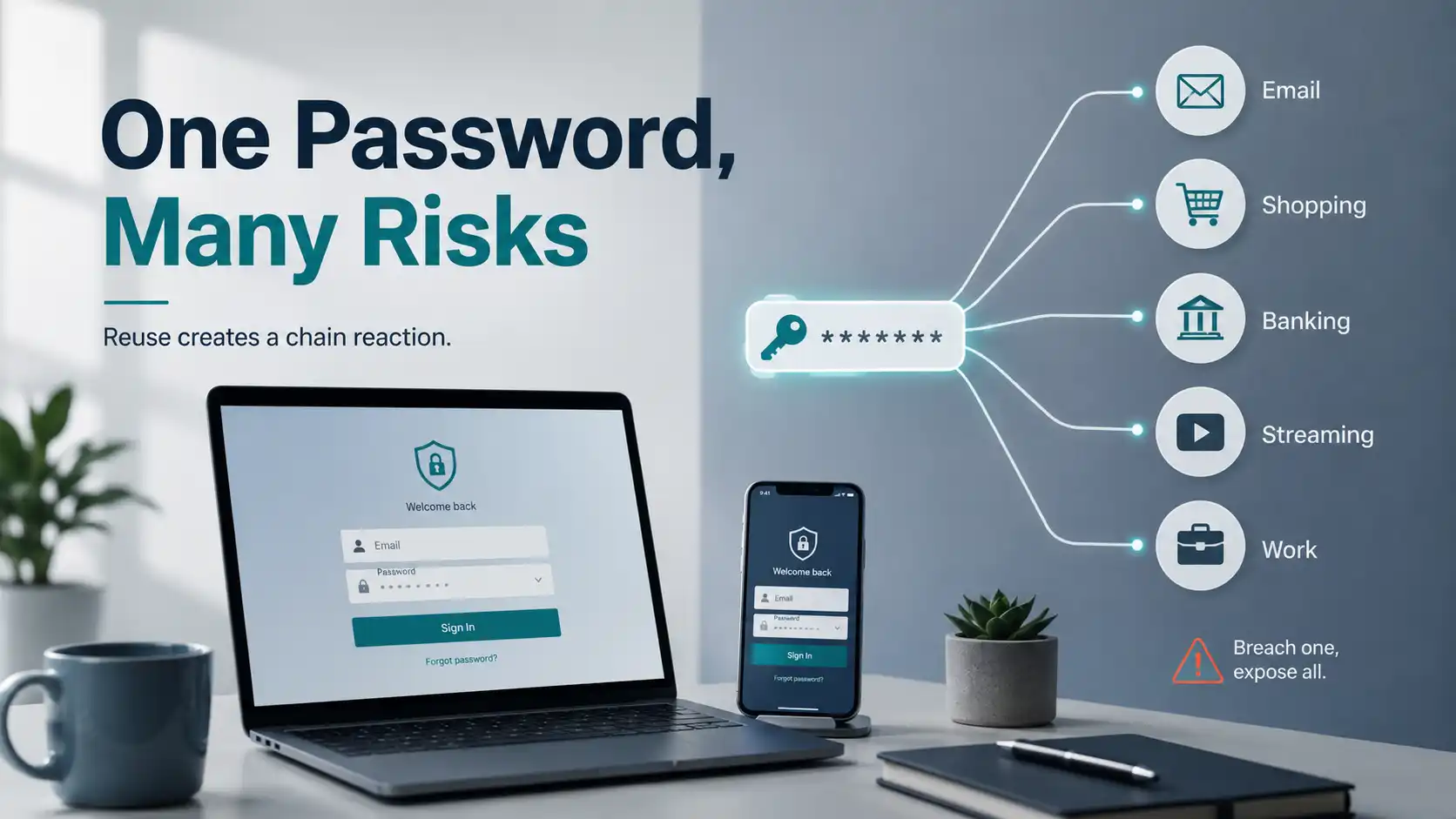
Most people know they shouldn’t reuse passwords. Most people do it anyway. Not because they don’t care, but because the alternative — remembering dozens of different passwords — feels impossible, and the risk feels abstract. Something bad might happen, in theory, at some point.
This article is about making the risk less abstract. Once you understand how password reuse actually gets exploited, the motivation to fix it tends to become a lot more concrete.
How One Breach Becomes Many
When a website gets hacked and user data is stolen, the stolen information typically includes email addresses and password hashes — a scrambled version of the password that can be reversed with enough computing power. Attackers run these hashes through specialised software until they’ve recovered the original passwords. For common passwords, this takes seconds. For longer, more complex ones, it takes longer — but given enough time and computing resources, most eventually crack.
Now those attackers have a list of email address and password combinations that are known to work. What they do next is called credential stuffing: they take that list and feed it into automated tools that try each combination on hundreds of other websites — banking sites, email providers, shopping platforms, streaming services — automatically, at scale, thousands of attempts per minute.
They’re not targeting you specifically. They’re running the list against every service they can think of, looking for matches. If you used the same password on a gaming forum in 2018 that you use for your email account today, and the gaming forum was breached, a credential stuffing attack will find that match eventually.
The Consequences Are Rarely Dramatic
When people imagine getting “hacked,” they tend to picture someone actively taking control of their computer, reading their files, watching their screen. This almost never happens in credential stuffing attacks. The reality is more mundane — and in some ways more costly.
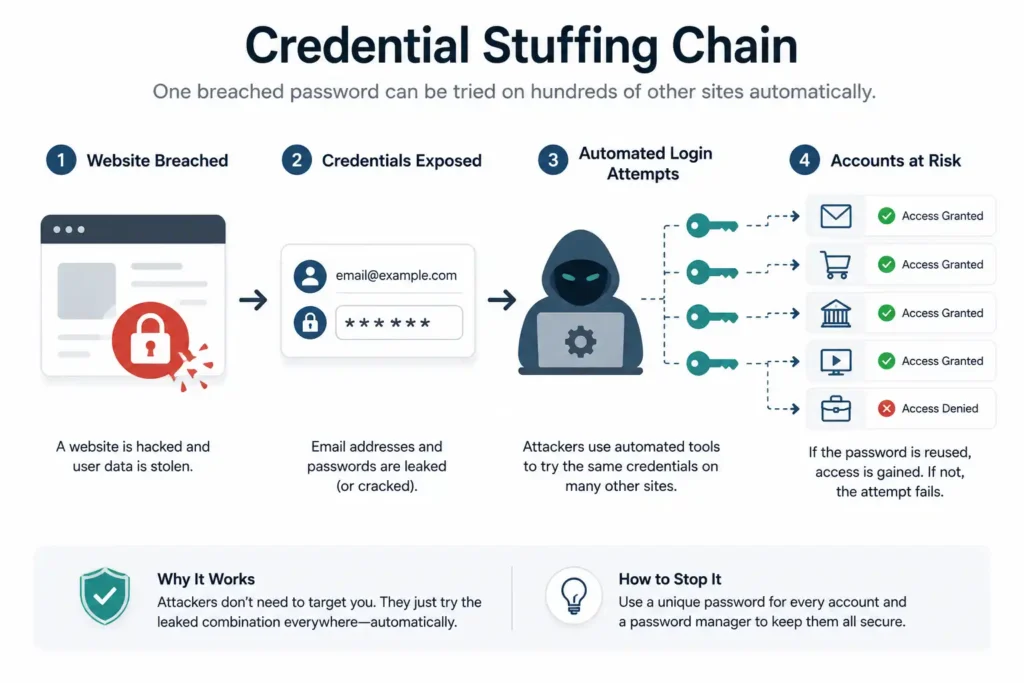
Account takeover typically looks like: someone logs into your Amazon account and changes the shipping address before placing orders. Someone drains the store credit or gift card balance on a retail account. Someone uses your streaming service account and changes the password to lock you out, then sells the account. Someone accesses your email, reads through it looking for financial information or password reset links to other services, then uses those to access accounts you consider more important.
None of this involves anyone breaking into your device. It’s just someone logging in with your password, from another country, through a browser, because the password worked.
How to Check If You’re Already Exposed
Before changing anything, it’s worth knowing whether your email address has already appeared in a known data breach. HaveIBeenPwned.com is a legitimate, widely respected service run by security researcher Troy Hunt that lets you enter an email address and see which breaches it has appeared in. It’s free, requires no registration, and is referenced by cybersecurity organisations worldwide.
If your email appears in a breach — and for most people who’ve had an email address for more than five years, it has — the specific breach it appeared in tells you which password may have been compromised and which other accounts using the same password are at risk.
The Fix: Two Components
A password manager. The reason people reuse passwords is that unique passwords for every service are impossible to remember. A password manager solves this by storing all your passwords in an encrypted vault, accessible with one master password. You only need to remember one thing; the manager handles the rest.
What to look for: browser integration that fills passwords automatically, sync across your devices, and a company with a clear business model and privacy track record. Most reputable password managers offer a free tier sufficient for individual use. Bitwarden is open-source and free; 1Password and Dashlane have paid tiers with additional features. Any of these is an enormous improvement over reusing passwords.
A no-logs VPN for the network layer. Password reuse is the credential-layer problem. There’s a separate but related risk at the network layer: if you’re logging into accounts on public Wi-Fi — a hotel, an airport, a café — and the connection is unencrypted, the credentials you type can potentially be observed by others on the same network.
A no-logs VPN encrypts your connection before it leaves your device, so the network you’re on can’t see what you’re transmitting. For people who’ve adopted better credential hygiene and want to protect the transmission of those credentials in transit, this is the complementary step. The no-logs policy specifically matters here: if you’re being thoughtful about which services hold records of your activity, choosing a VPN provider that doesn’t log connection data is consistent with that same thinking.
X-VPN doesn’t store connection logs and is available on the Microsoft Store for Windows users — a verified install path that doesn’t require evaluating the safety of a third-party download.
The Order of Operations
If you’re going to fix this properly, the order matters:
First, check HaveIBeenPwned to understand your current exposure. Second, install a password manager. Third, work through your most important accounts — email, banking, work accounts — and change those passwords to unique ones generated by the manager. Fourth, continue through other accounts over time; you don’t have to do everything in one session. Fifth, add a VPN for the network layer if you regularly use public or shared networks.
You don’t need to do all of this today. But starting is better than continuing to rely on the same password you’ve had since university — the one that’s probably appeared in at least one breach already.
Why Unique Passwords Eliminate the Cascading Risk Entirely
Credential stuffing attacks are automated and indiscriminate. They’re not about being interesting enough to target — they’re about having a password on a list that happens to work somewhere else. The scale is substantial: HaveIBeenPwned’s database alone tracks over 12 billion compromised accounts from historical breaches, and lists of working credential pairs are actively traded and reused across the threat ecosystem.
Unique passwords eliminate the cascading risk entirely. A breach of one service reveals one password that works on one service. That’s containable. A reused password means a breach anywhere in your history is a breach everywhere you used that password — and the attacker’s tools will find out which services those are.
The fix is available, free to start, and takes an afternoon to set up properly. The risk it eliminates is ongoing and cumulative. That’s an unusually good trade.